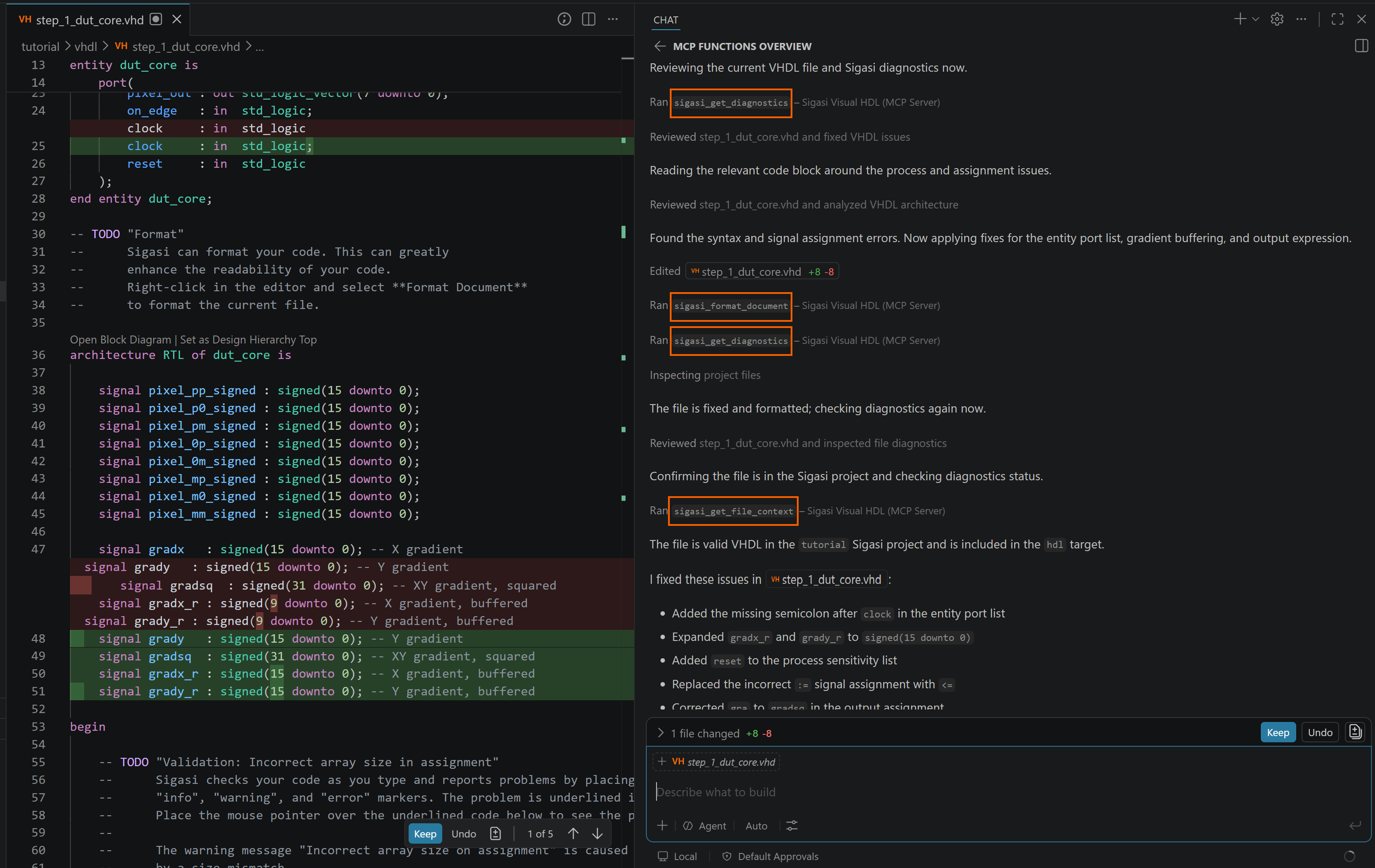
Sigasi ships an MCP server that exposes its semantic engine to AI coding agents through the Model Context Protocol (MCP). Instead of guessing, your agent can deterministically format HDL, read Sigasi’s real diagnostics, and explore your project’s structure and use that feedback to iterate on and fix the code it generates.
This turns Sigasi into the deterministic checker in an agentic loop: the agent writes or edits Verilog, SystemVerilog, or VHDL, formats it, asks Sigasi what’s wrong, and fixes the reported problems—repeating until the file is clean.
Requirements
- Requires a configured Sigasi project. The tools operate on files within your project, so diagnostics, context, and symbol search only return meaningful results once your project is loaded.
- Works with GitHub Copilot in VS Code and with VS Code forks such as Cursor that support MCP.
- The
sigasi.enableMcpServersetting is enabled (it is by default).
Setup
The MCP server is built into the Sigasi extension and is registered automatically with VS Code’s built-in MCP registry. There is nothing to install or configure separately: once Sigasi is installed and your project is loaded, the Sigasi tools become available to your AI agent via Copilot. In the agent’s tool picker they appear under Sigasi Visual HDL.
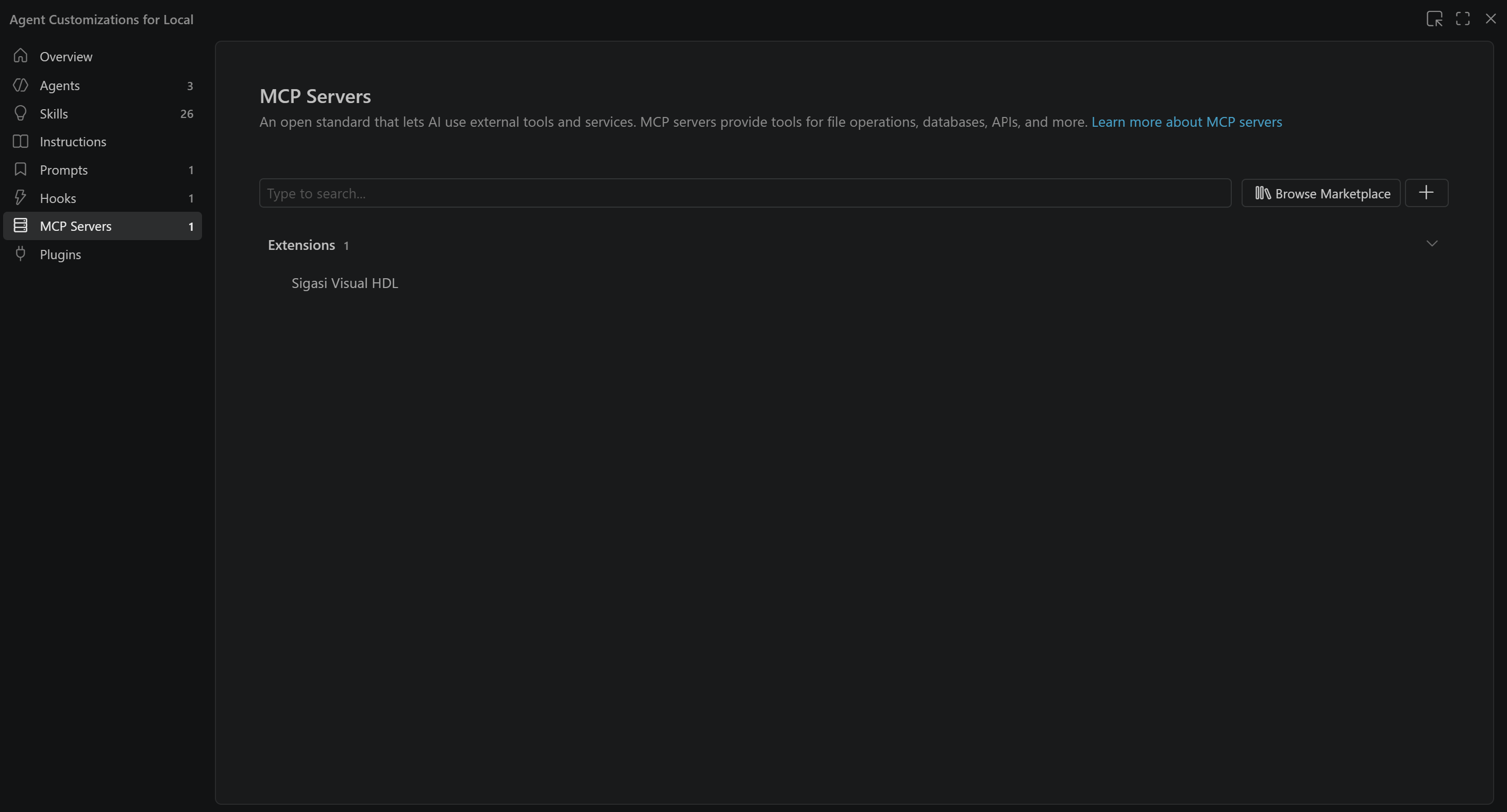
The same applies to VS Code forks like Cursor: their built-in agent picks up the server automatically once the Sigasi extension is installed.
Keep in mind that having the tools available does not guarantee the agent uses them: the AI decides for each request which tools, if any, to invoke. You can steer this decision by mentioning Sigasi explicitly in your prompt, for example “Fix the problems in fifo.vhd using Sigasi”. To make this the default behavior, add an instruction to your project’s AGENTS.md (or your agent’s custom instructions file), such as “Always use the Sigasi tools to check, fix, and format HDL files.”
Available tools
The server provides the following tools to the agent:
| Capability | What the agent can do |
|---|---|
| Format document | Format a Verilog, SystemVerilog, or VHDL file in place. |
| Get diagnostics | Retrieve Sigasi’s diagnostics for a specific file. |
| Get project diagnostics | Retrieve diagnostics for the whole project that contains a file. |
| Get file context | Get project information for a file: its project, targets, libraries, and dependencies. |
| Search project symbols | Search design units and symbols across the Sigasi project. |
Example: fixing a file with an agent
Ask your agent to clean up a file and let it drive the tools. For a prompt like “Fix the errors in fifo.vhd”, the agent typically:
- Calls Get diagnostics on the file to see what Sigasi reports.
- Uses Search project symbols and Get file context to understand the surrounding design—its libraries, dependencies, and where symbols are defined.
- Edits the file to resolve the reported problems.
- Calls Format document to apply Sigasi’s formatting.
- Calls Get diagnostics (or Get project diagnostics) again to confirm the problems are gone, repeating the loop if needed.
Because Sigasi’s analysis runs at interactive speed, the agent gets this feedback immediately, keeping the loop tight.