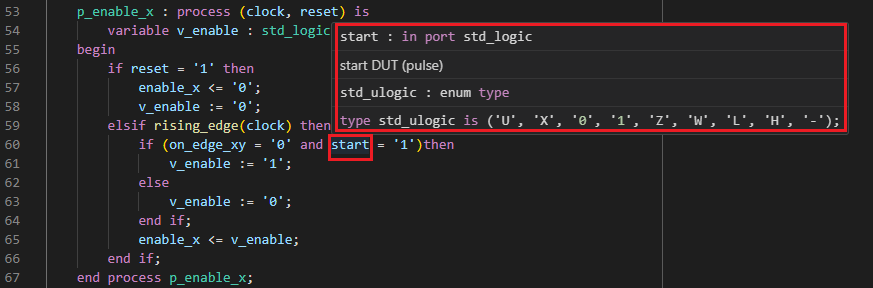
To learn more about the declaration of a given identifier, you can hold your mouse over it. After a short time, a pop-up will show you the name and data type of the signal. This technique is called hovering.
Hover pop-ups can show different kinds of information:
- data type
- comments: inline documentation written for the declaration (association rules)
- value: the value of constants
- errors or warnings: a description of the problem, if the given identifier has an error or warning associated with it
- binary/decimal conversion: for hexadecimal, octal, or binary values, the decimal equivalent
SystemVerilog
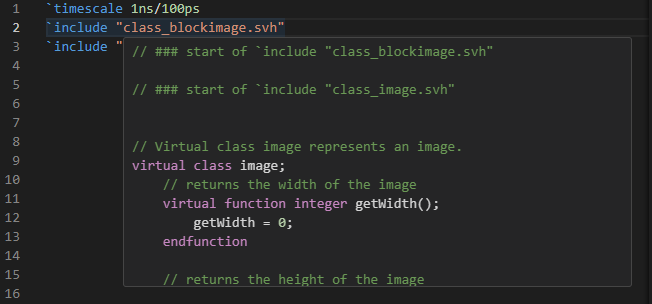
When you hover over a SystemVerilog preprocessor directive (e.g. include ...), Sigasi shows the preprocessed text.
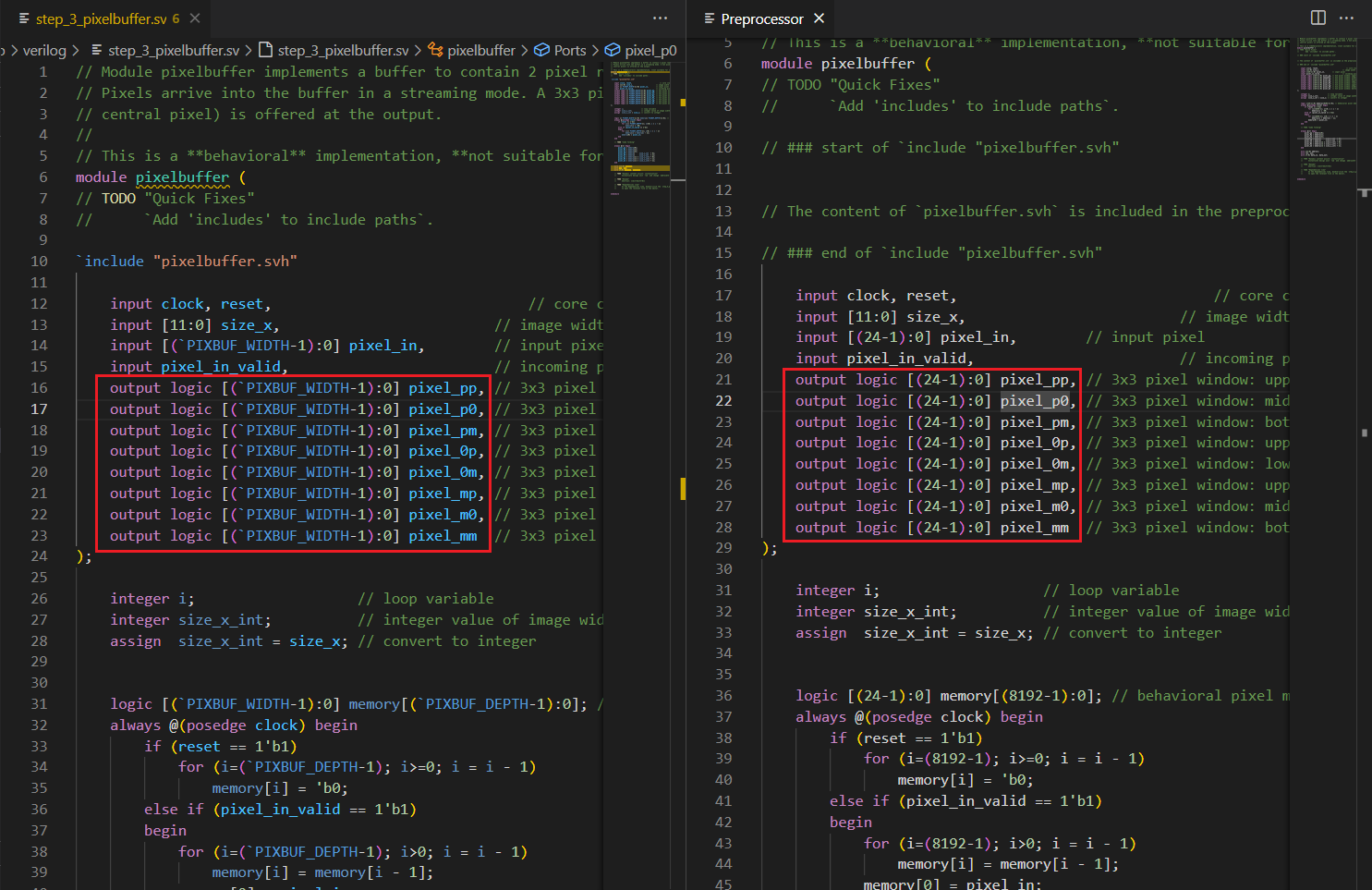
In the Preprocessor View, you can preview the expanded version of your preprocessed SystemVerilog source files.
VHDL
Sigasi propagates the values of VHDL constants to the expressions where they are used.
