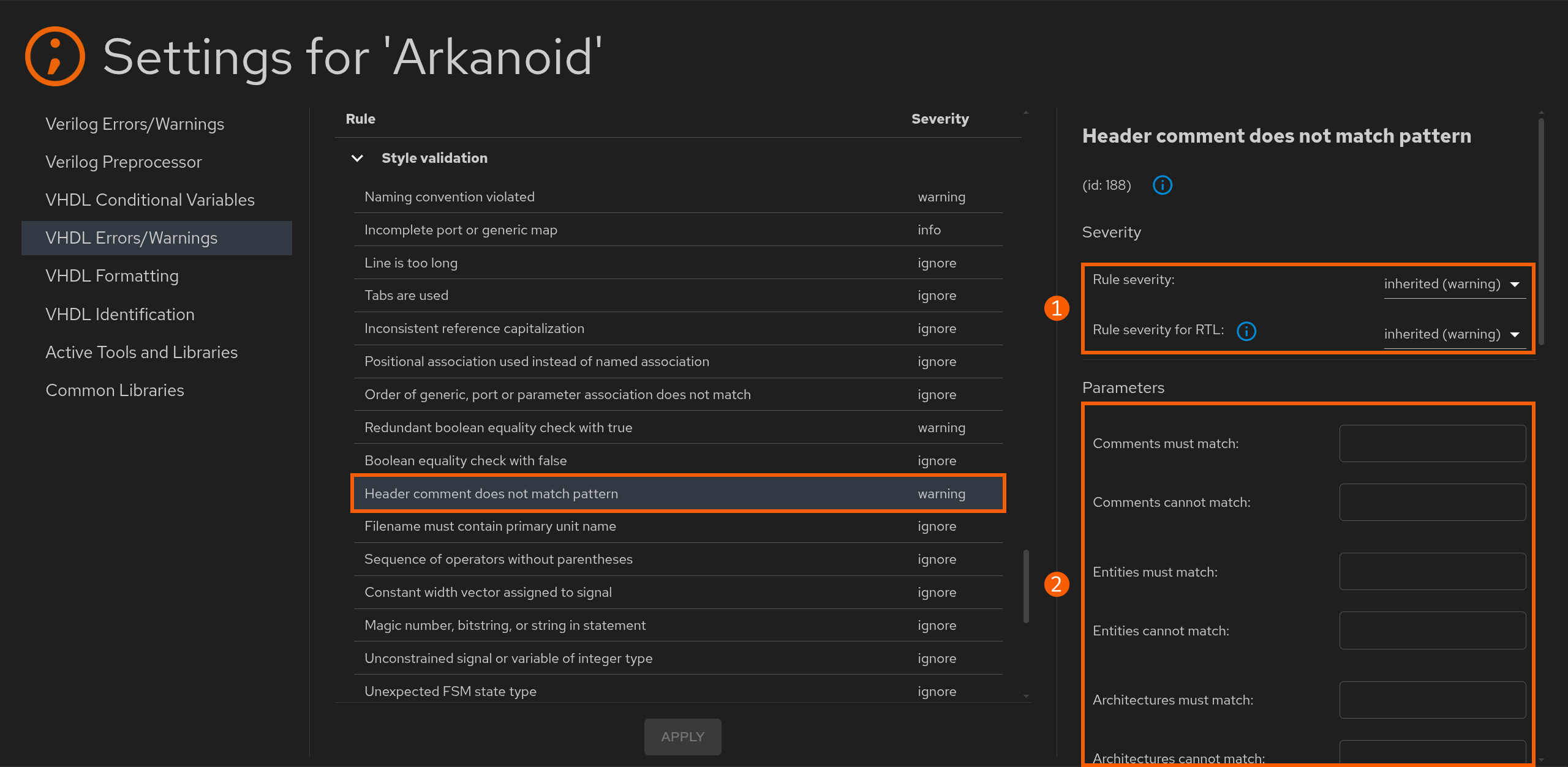
Sigasi checks your code for common errors, potential issues, style violations, and more as you type. This process is called linting. Many linting rule violations also offer a Quick Fix, allowing you to fix the issue with a simple click. Sigasi also contains linting rules for specific technology, such as UVM, as well as functional safety rules such as DO-254 and STARC.
Sigasi is purpose-built to provide linting results in near immediate time, aiming to provide feedback within 100 ms of your modifications. It is, however, more than simply another linter. It doesn’t aim to find all mistakes in your code. Instead, we aim to cover the 80% most common errors and mistakes with great error feedback as you’re writing the code. This saves a lot of time once you get to your sign-off linter.
The Sigasi linter has reasonable defaults for the reported problems. Nevertheless, you can configure the severity level and parameters of most linting rules.
In Modular Projects, you can also skip linting altogether for code you’re not working on by lowering its analysis effort.
Problems view
The Problems view in Sigasi provides a centralized list of all linting issues found in your project. Each entry includes a description of the issue, filename, and line number where it was detected. You can open the Problems view from the status bar or by using the menu.
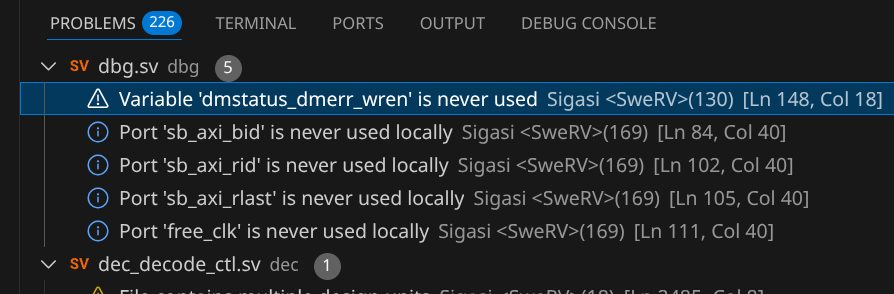
Clicking on a problem in the list will automatically open the corresponding file and navigate to the line where the issue was found. When right-clicking on a problem, Sigasi often offers quick fixes that can automatically resolve the problem.
Note that if you have multiple extensions installed, problems generated by all plugins will be shown in the list. To only show Sigasi’s, you can filter on Sigasi ➊. Additionally, you can select which problem types should be shown using the filter icon.
You can also view the problems as a table by clicking the icon.
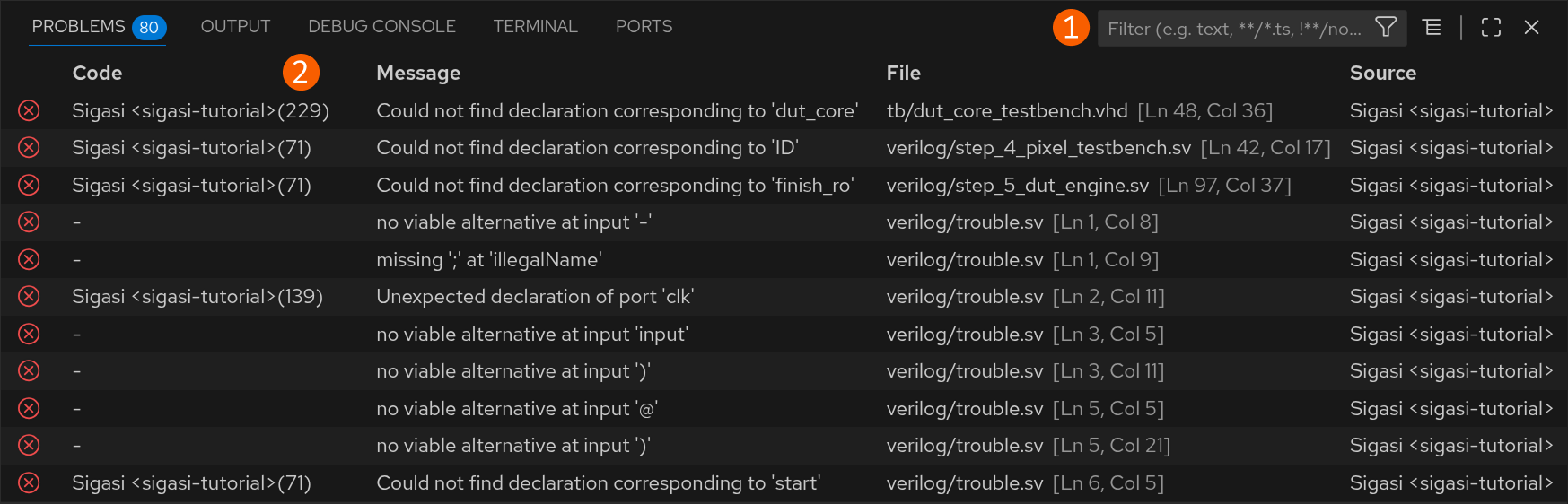
You can find the ID of the problem in the code column ➋. This ID can be used to configure the rule that generated the problem. Clicking the code opens the rule’s documentation directly. If no ID is mentioned, it concerns a syntax error that also cannot be configured.
Naming conventions and header comment checks
Sigasi can check whether all sorts of names in the design (modules, entities, instances, signals, variables, etc.) follow particular patterns.
This may help designers follow their company’s or team’s coding rules.
For example, coding rules may prescribe that signal names must have an s_ prefix, that generic names must be written in capitals, or that variable names must use CamelCase.
Additionally, Sigasi can also check header comments of files, design units, subprograms, etc. This could, for instance, be used to check whether a copyright notice, license, or disclaimer has been included in a file header comment.
The naming convention rules can be found in the Style Validation rule category and configured like any other rule.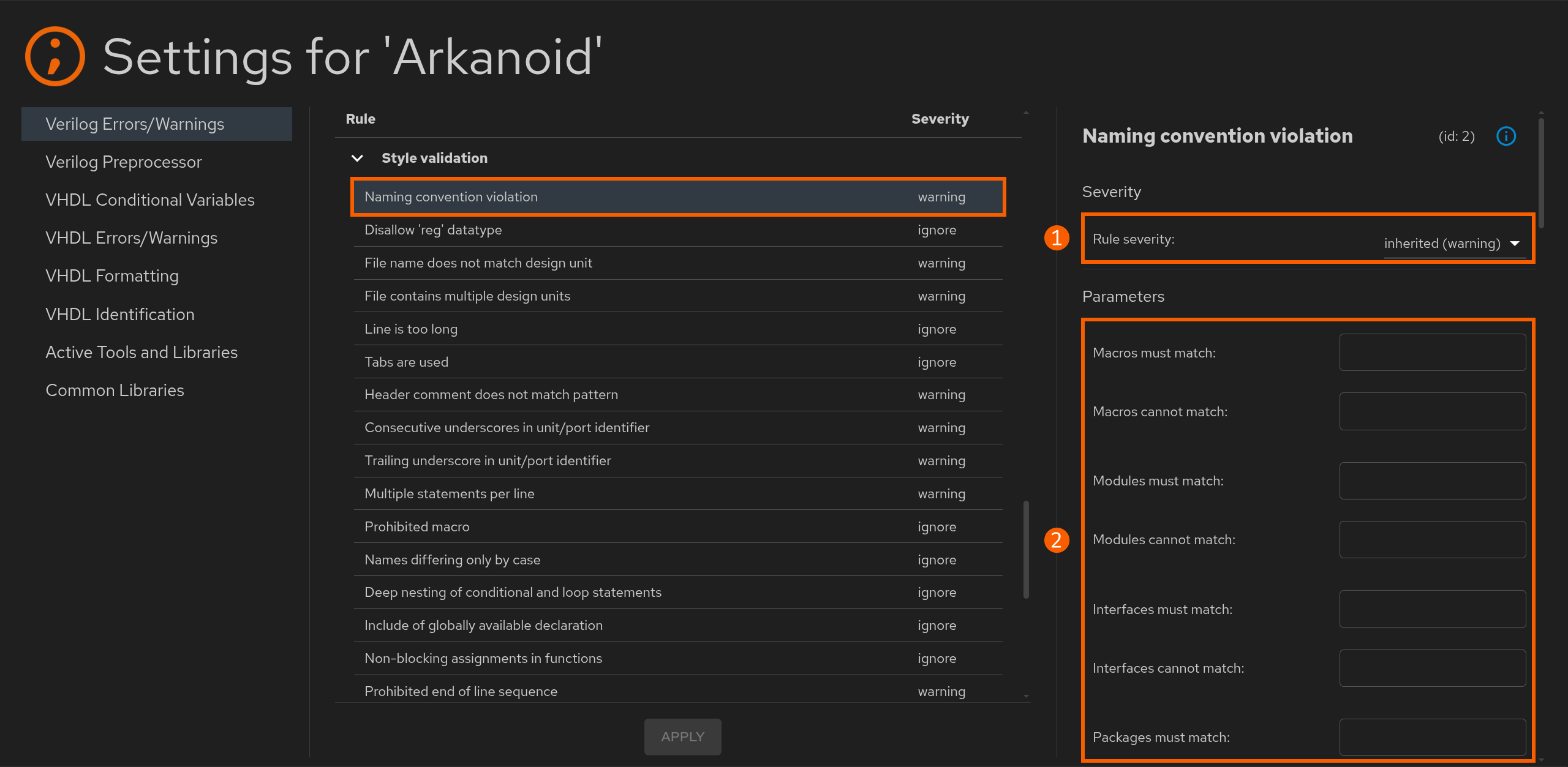
At the top-right, ➊, you can set the severity of naming convention non-conformities. Below the severity settings, ➋, you can enter validation patterns. Patterns use the RE2/J regular expression syntax.
Note that names are not validated if the corresponding validation pattern is empty.
You can add two patterns per name:
- a valid pattern that the name must match (a marker will appear if it does not match), and
- an invalid pattern that the name must not match (a marker will appear if it does).
You can set either or both patterns per name.
Similarly, you can also find header comment configuration in the Style Validation rule category.