The Sigasi linter has reasonable defaults for the configuration of reported problems, but the severity level of certain linting rules is configurable for additional flexibility. Furthermore, some linting rules, such as the VHDL maximum line width rule, are parameterized and can be tweaked to your preference.
For each linting rule, you can set the severity of non-conformities in all code or RTL-specific code. For some linting rules, more configuration options are available in the sidebar of the settings page. Look into the documentation of a specific rule for more details on its effect.
Linting rules can be configured per project, folder, or file by right-clicking a project, folder, or file in the Sigasi Projects View, selecting , and clicking VHDL Errors/Warnings or Verilog Errors/Warnings.
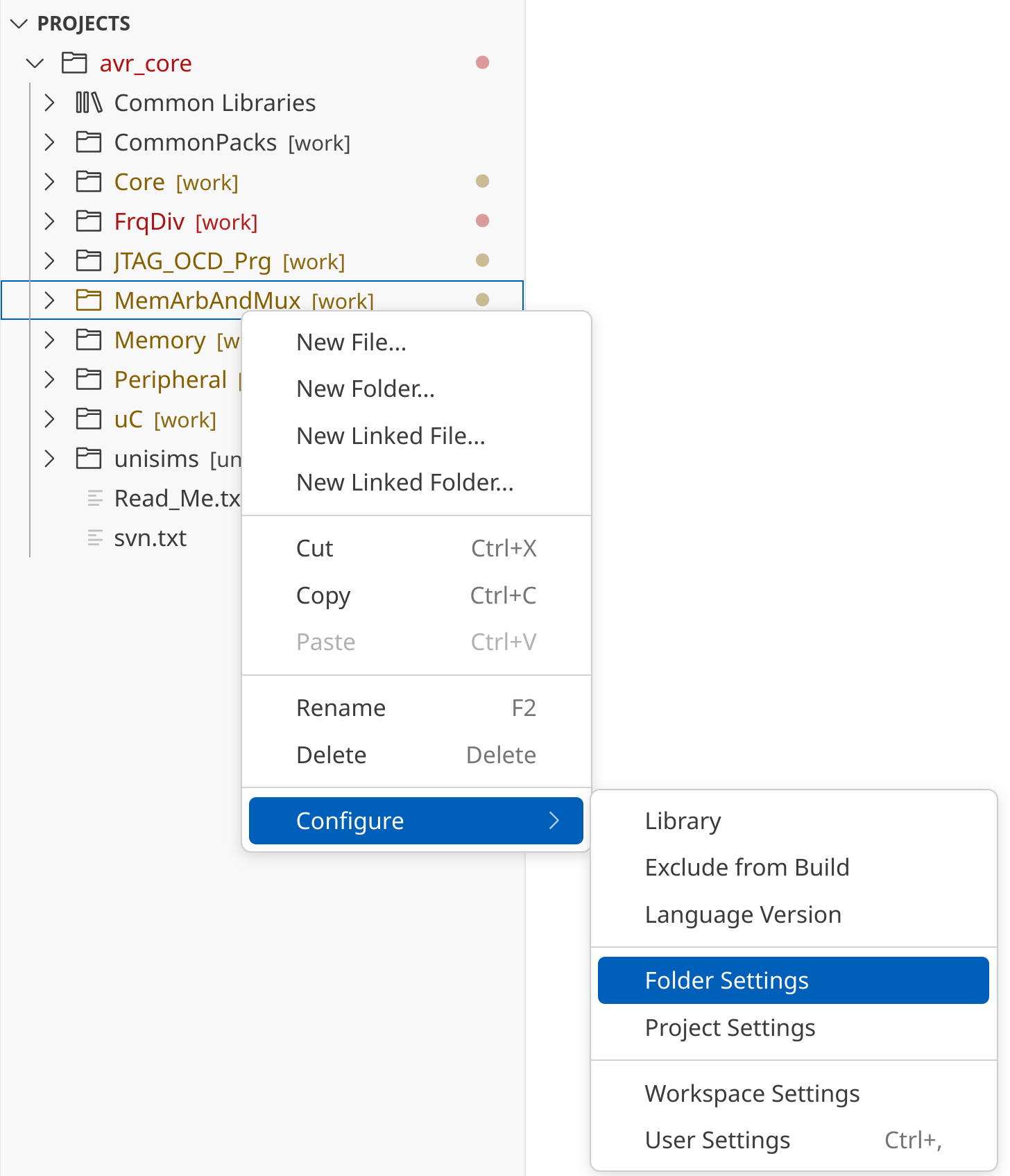
You will then be able to change the linting rule configurations.
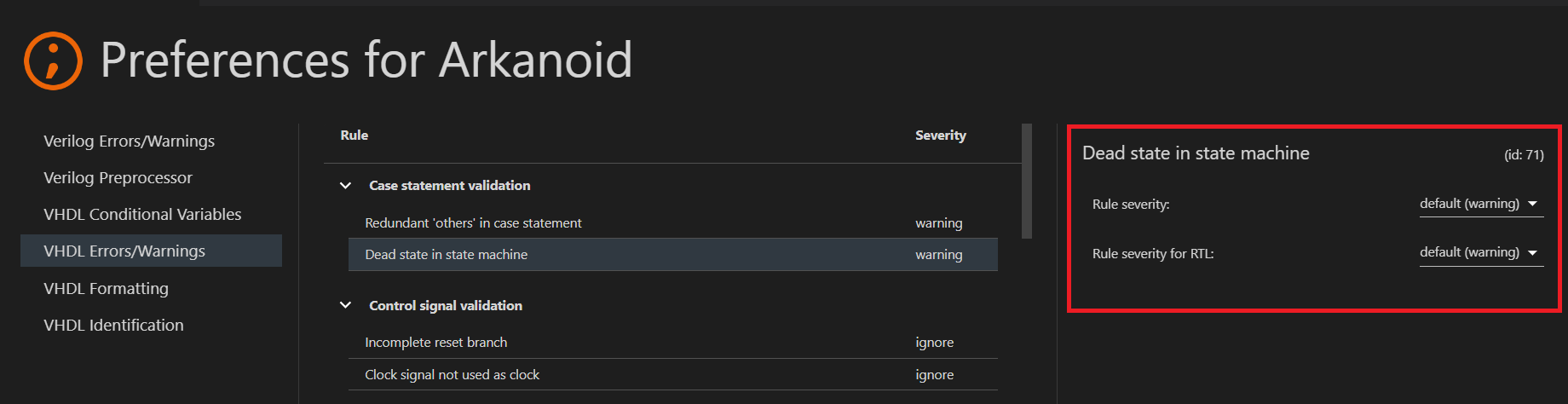
All configurable linting rule violations will also offer configure rule Quick Fixes. These can be used to quickly open the settings page corresponding to a specific linting rule.
Suppressing problems
You can suppress specific problems in your code by adding a @suppress comment (-- @suppress for VHDL and // @suppress for SystemVerilog) on the same line as the problem.
You can limit the suppression to a specific problem by adding a prefix of the problem message between quotes after @suppress. Sigasi also recommends adding a reason why the problem was suppressed by adding an extra comment after @suppress:
<line with problem> // @suppress "Problem message prefix" Reason why problem is suppressed
Manual configuration
Note: we discourage manual configuration, especially for rule parameters other than severity because it’s easy to get the syntax wrong.
To configure the severity of rules, add a line using this template:
${rule id}/severity/${path}={error|warning|info|ignore}
To configure a parameter of a rule, add a line using this template:
${rule id}/params/${parameter}/${path}=${value}
- Where
${rule id}can be the number of the rule (e.g., 140) orallto specify settings for all rule IDs at once. Rule IDs can be found in the Errors/Warnings settings page in the right panel of each rule. They are also included in the list of VHDL linting rules and the list of Verilog/SystemVerilog linting rules. - Where
${path}can be<project>(literally, with brackets!) to set the severity of the entire project,/path/to/folderto set the severity of an entire folder, or/path/to/file.vhdto set the severity of a specific file.
The valid values for the parameters are documented on the individual linting rule pages. They are described using the following notation:
| Notation | Constraint |
|---|---|
{value1|value2} | Either value1 or value2 must be used. |
${integer} | Must be an integral number, e.g., 5. If the number must fall within a range, it is specified in a comment. |
[keyword...] | Any number of keywords (or other strings) separated by tab characters, e.g.ENTITY PACKAGEIf any of the strings must contain a tab character or a single quote, escape it using a single quote. For example, below is a list of 2 items, the first a<Tab>tab and the second a'quote.a’ tab a’‘quote |
${regex} | A RE2/J regular expression, e.g., 0|1. |