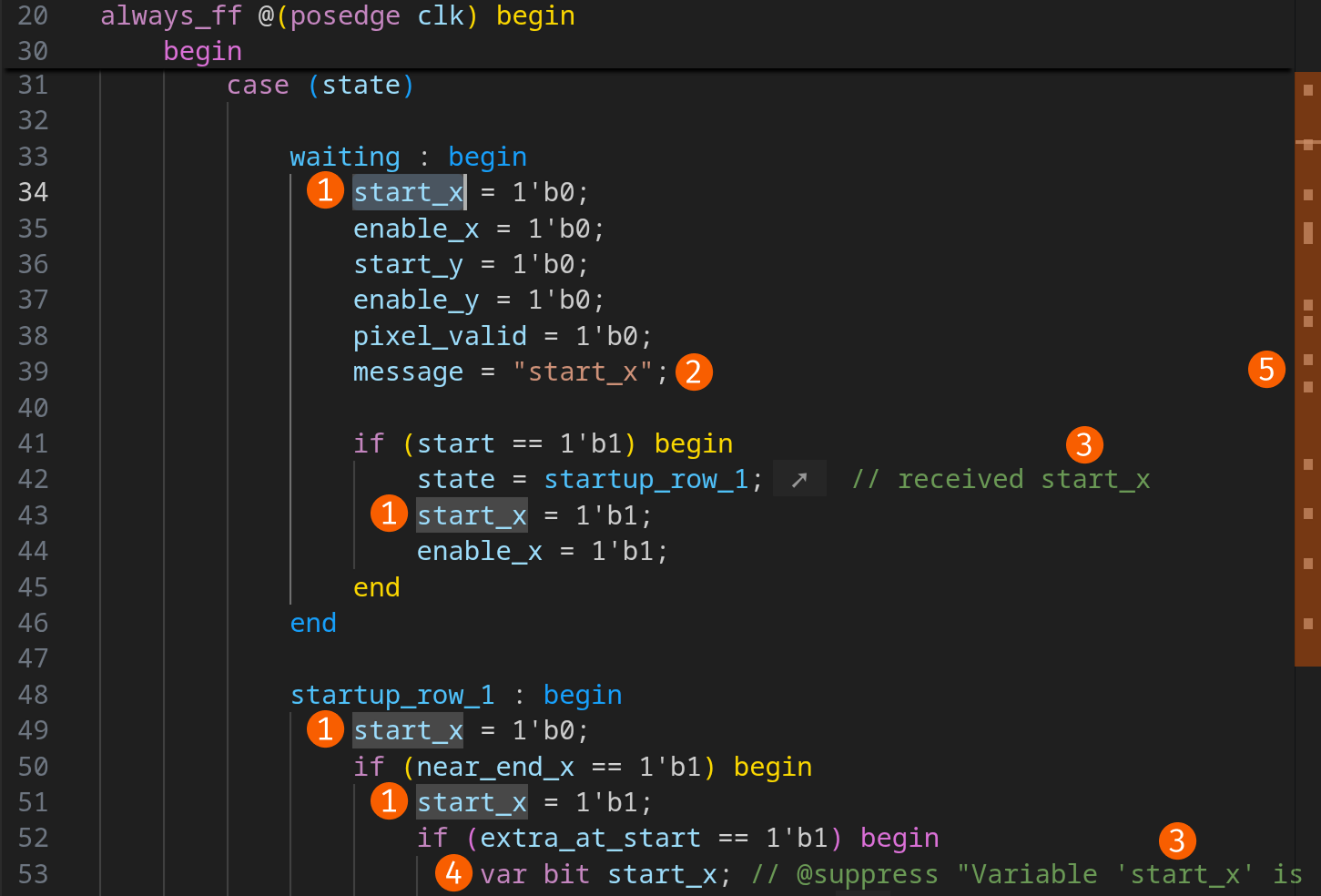
Clicking an identifier highlights it, as well as all references to it within the same file. This occurrence highlighting is intelligent: it’s not based on the identifier’s string value but on the construct to which the identifier refers.
Only true references ➊ are highlighted, not any occurrence in strings ➋, comments ➌, or other similarly named constructs ➍. This allows you to quickly spot the actual usages of the identifiers. You can also see these occurrences in the overview ruler ➎. Every grey box on it represents an occurrence.
By enabling the editor.selectionHighlight
preference, the text occurrences (➋, ➌, and ➍) will additionally be highlighted.