Renaming is often done through simple text searches and text replaces. However, Sigasi knows how to do a semantically accurate rename. It can find all references and all implementations of any identifier. You can thus use Sigasi to correctly rename any identifier without fearing any missed occurrences or overeager renaming in comments, strings, or unrelated equally named variables, signals, etc. This includes renaming a component declaration and its instances when renaming a VHDL entity, as well as all methods in a subclass when renaming a superclass method in Verilog.
Right-click on any identifier and select Rename Symbol (or use F2 ) to change the name of the associated declaration and all its references. Once you select Rename Symbol a little dialog box will pop up.
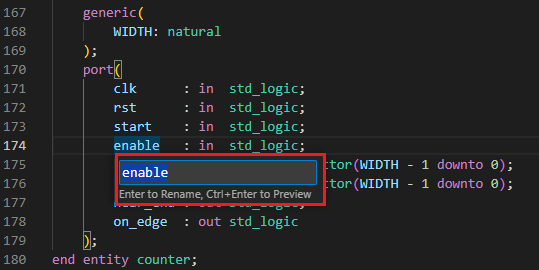
Now you can type the new name and press Enter . This will rename the declaration of that symbol and all its references. Instead, you could also have pressed Ctrl+Enter to preview the changes before applying them across all your files.
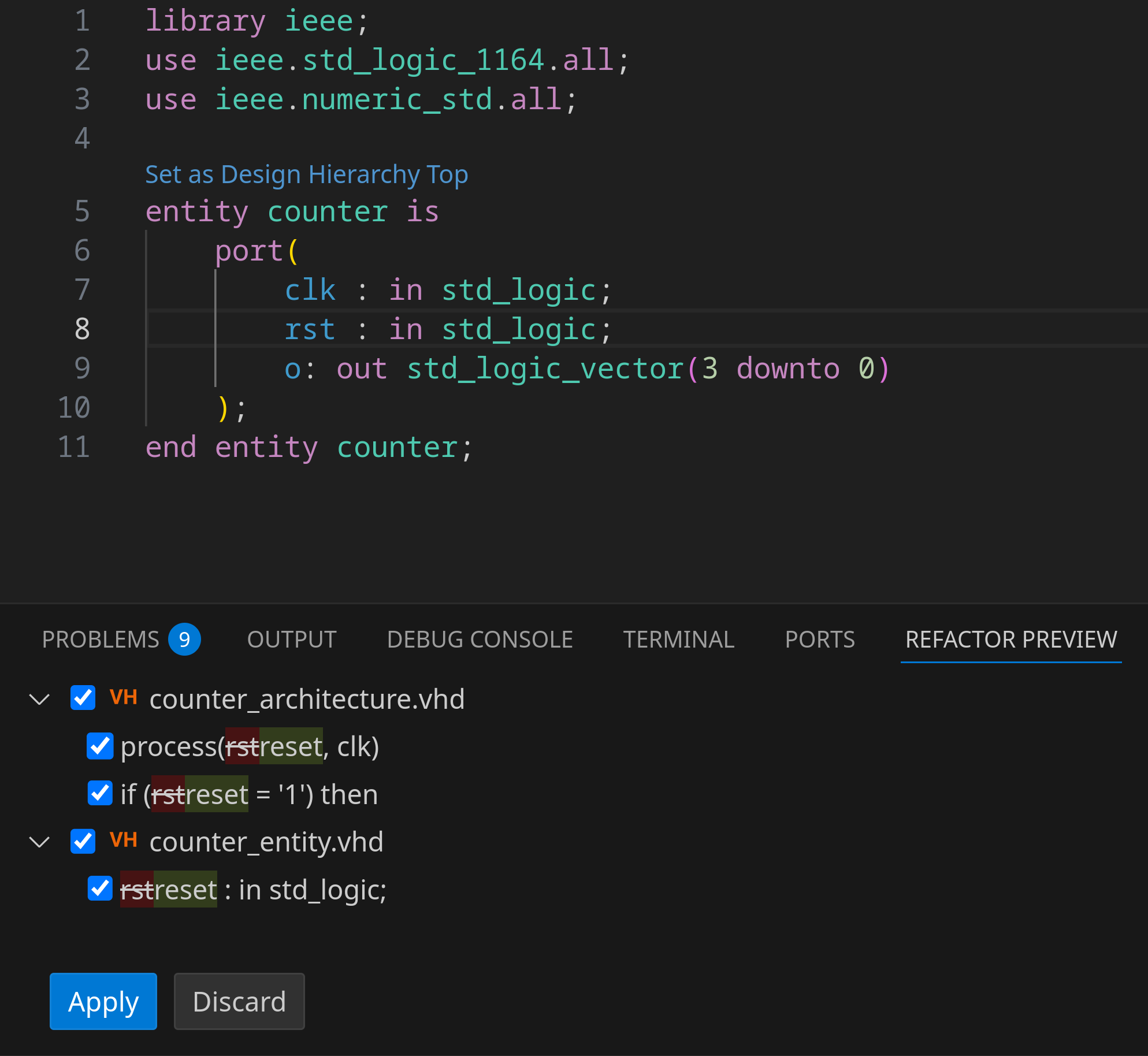
In that case, a Refactor Preview tab appears in the bottom panel and lists the summary of the changes to be made. Clicking any of the items in the list visualizes all changes side-by-side. You can uncheck a checkbox to skip renaming that specific occurrence.
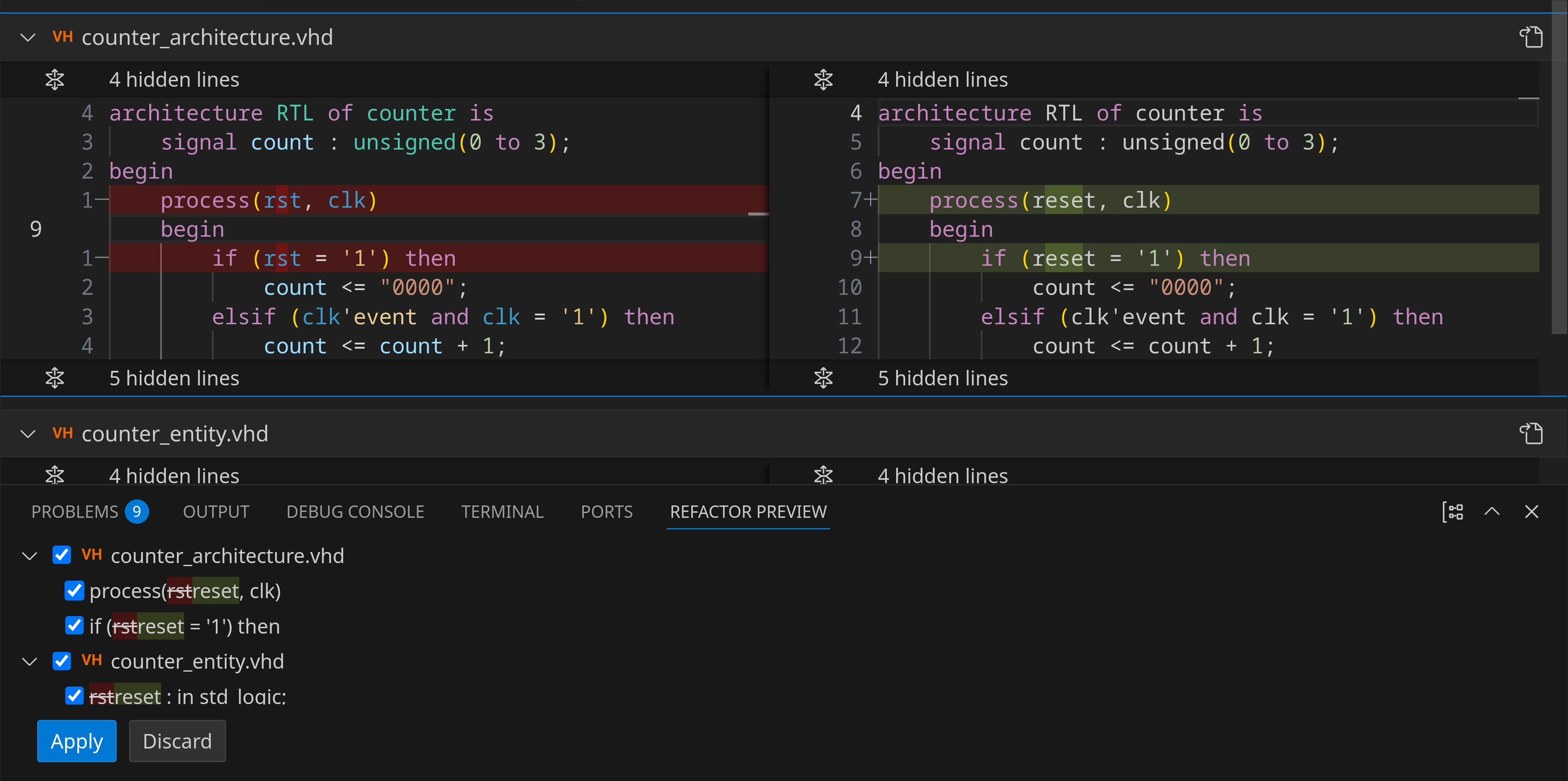
Finally, you can click the Apply button to accept the changes or click the Discard button to cancel the renaming action. Note that this feature does not rename references in comments.
Sigasi does not yet correctly handle cross-language renames, i.e., renaming instances in VHDL that point to Verilog elements, or the other way around.
Read-only
When a rename action affects a read-only file, a preview will automatically be shown, even if you didn’t press Ctrl+Enter . In this preview, changes to read-only files are shown, but their checkbox is not checked, ensuring that they won’t be applied unless explicitly confirmed.
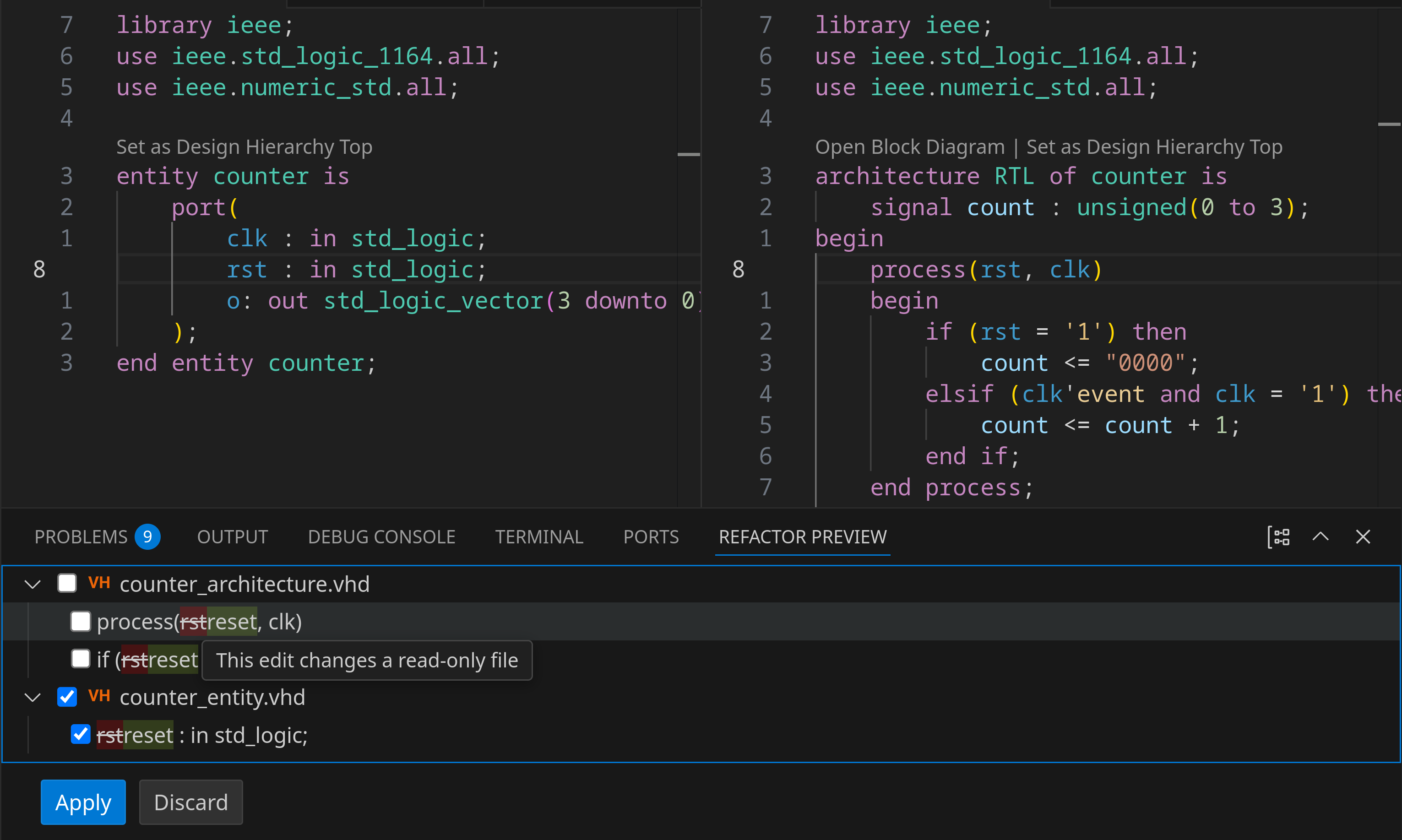
You can disable this preview behavior by toggling the sigasi.editor.previewReadonlyFileOperations
setting. This can be particularly useful if you’re working with a pessimistic version control system like Perforce, where you may prefer that changes to read-only files are applied immediately without requiring additional confirmation. The file will still need to be saved manually when applying changes to the read-only file.