Spell checking in HDL files is provided by the Code Spell Checker extension, which you can install from the Extensions pane ( Ctrl+Shift+X ). When Code Spell Checker is installed, Sigasi configures it for Verilog, SystemVerilog, and VHDL files. Sigasi has no settings for spell checking.
Checked text
In Verilog, SystemVerilog, and VHDL files, only comments and string literals are checked. Identifiers and other code are not checked.
In the project.sigasi and .sigasi/settings.json files, only comments are checked.
Dictionaries
Sigasi adds the following dictionaries to Code Spell Checker.
- The keywords of Verilog, SystemVerilog, and VHDL.
- Words that are common in HDL designs, such as
testbench,bitstream, oruart. - The names of Sigasi settings for the
project.sigasi,.sigasi/settings.json, and.vscode/settings.jsonfiles.
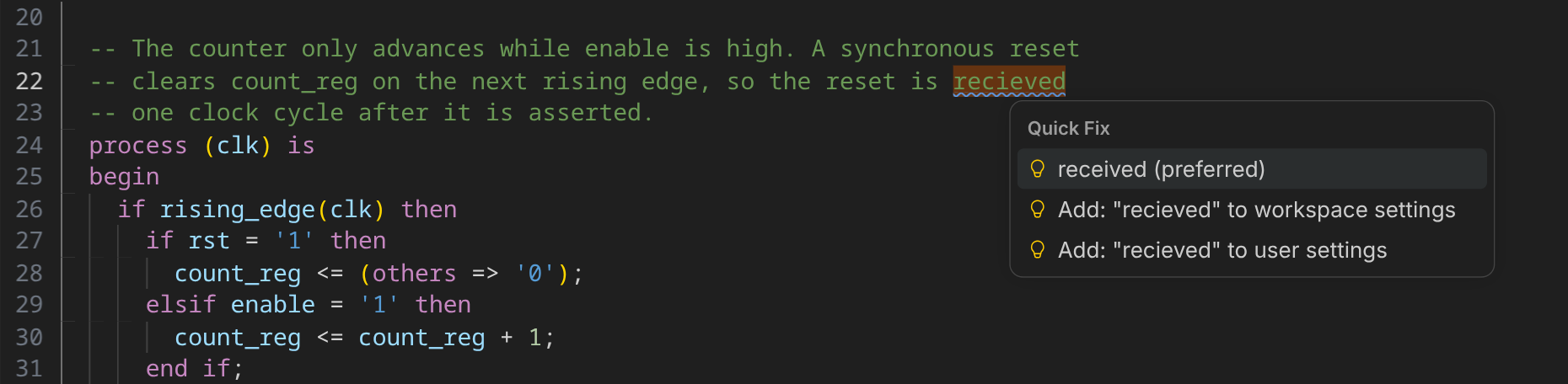
Any other word that Code Spell Checker does not know is reported as an unknown word. Through Code Spell Checker’s Quick fix, you can add such words to your user or workspace dictionary.
Disabling spell checking
Code Spell Checker is configured through its own VS Code settings, not through Sigasi settings. To disable spell checking in HDL files only, run Preferences: Open User Settings (JSON) from the Command Palette (
Ctrl+Shift+P
) and add the following to the VS Code settings.json file.
{
  "cSpell.enabledFileTypes": {
    "vhdl": false,
    "systemverilog": false
  }
}