An excellent way to get started with Sigasi and getting the hang of its most essential features, is by going through the interactive tutorial or by playing around with a real-life demo project.
Tutorial project
The Tutorial Project is a little project that has been handcrafted to
showcase a number of Sigasi features. It’s not a real-life project.
Even worse, we’ve inserted a number of serious issues (even syntax issues!) to
show Sigasi in action. You can create the Tutorial Project straight
from within VS Code. Go to the  Sigasi View. When no project is open yet,
the tutorial can be created through the link shown below.
Sigasi View. When no project is open yet,
the tutorial can be created through the link shown below.
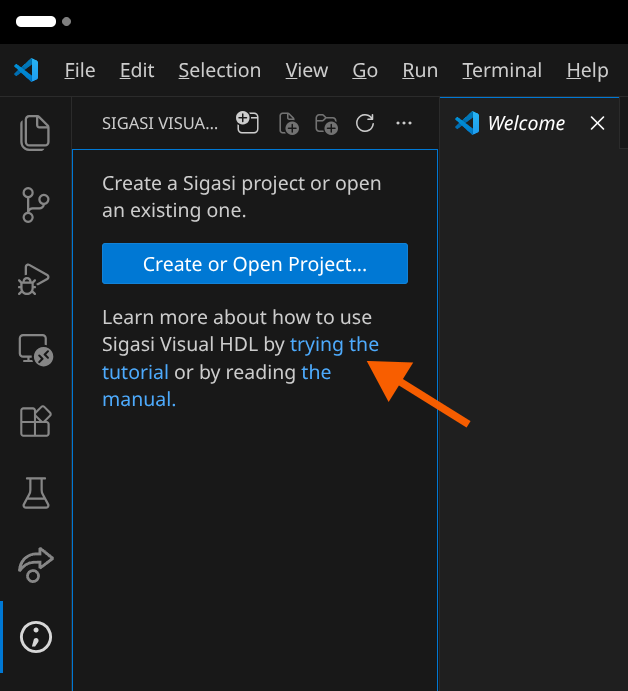
Alternatively, the same can be achieved through the Sigasi: New Tutorial Project… command.
You will be prompted to type a name for your tutorial project, after which the tutorial will be opened in a new window.
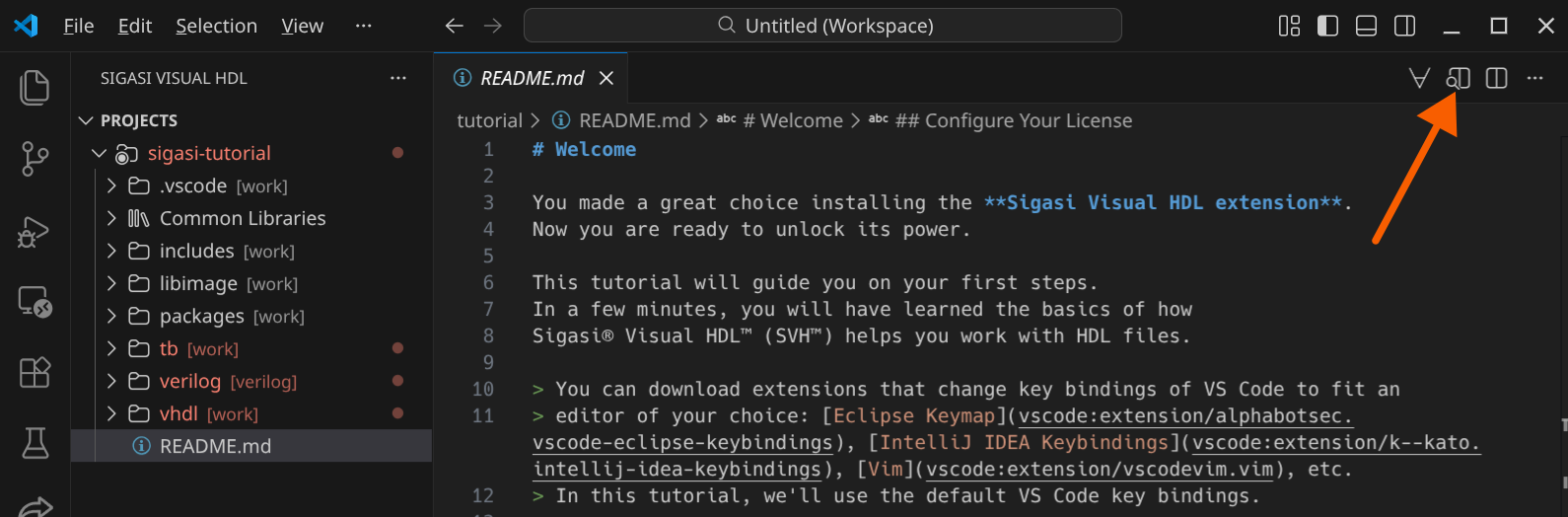
The tutorial is written in Markdown format. Push the Open the Preview to the Side
button to get a nicely formatted version. Now go through the tutorial.
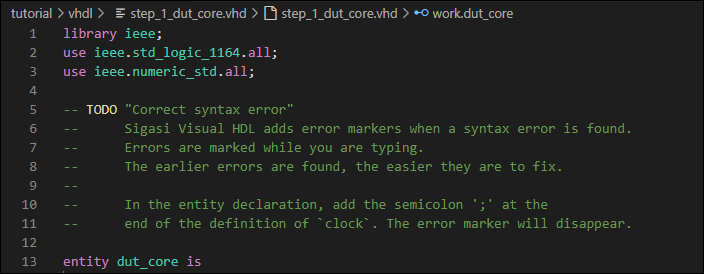
You will find a number of TODO entries embedded in the HDL files. These will
guide you to explore the many features of Sigasi.
Demo project
Maybe you’ve had enough of “toy” examples and instead want to see a real, industrial project? Enter the command Sigasi: Create Demo Project…. It will create for you a pre-configured version of the SweRV project , a real-world RISC-V core from Western Digital.