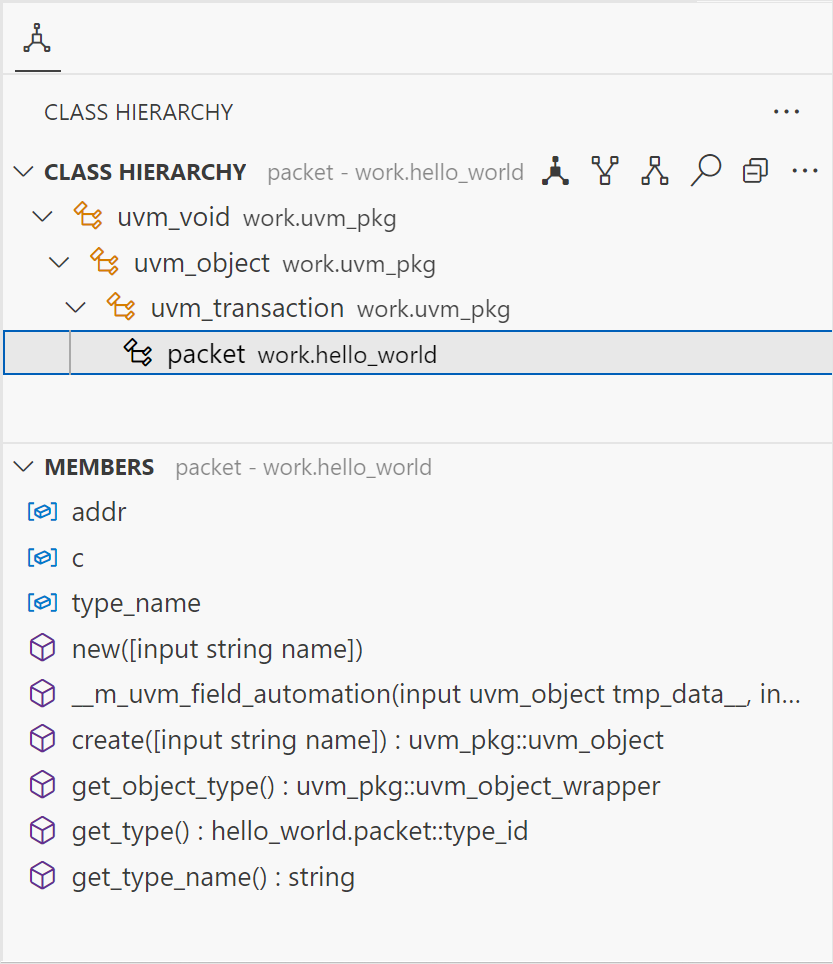
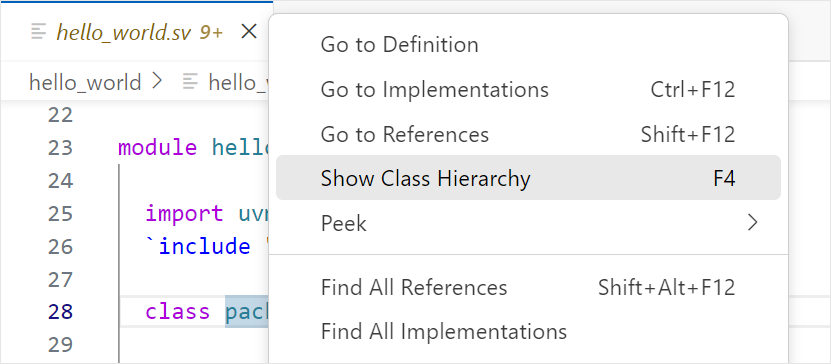
The Class Hierarchy View displays more information about the hierarchy of a class. It consists of a hierarchy tree and a list of its class members. To open the Class Hierarchy of a class, right-click the class name, and select Show Class Hierarchy (or press F4).
Class Hierarchy Tree
The class hierarchy tree displays the superclasses, subclasses, or both.
| Icon | Command | Description |
|---|---|---|
| Class Hierarchy | Displays all superclasses and subclasses. | |
| Superclass Hierarchy | Displays all superclasses and implemented interface classes. | |
| Subclass Hierarchy | Displays all subclasses that extend or implement the selected (interface) class. | |
| Search | Searches the Class Hierarchy. | |
| Expand All | Expand the Class Hierarchy. | |
| Collapse All | Collapse the Class Hierarchy. | |
| Toggle Show Qualified Class Names | Shows the qualified name next to each class. |
Member List
The member list shows all members (fields, functions, tasks, and constructors) of a selected class in the class hierarchy tree.
The icon shown in the view describes the current active state of the members list options.
| Icon | Command | Description |
|---|---|---|
 | Show Inherited Members | Shows members inherited from superclasses. |
 | Hide Inherited Members | Hides members inherited from superclasses. |
 | Show Fields | Shows fields in the members list. |
 | Hide Fields | Hides fields in the members list. |
| Search | Searches the Members. | |
| Toggle Sort By Defining Class | Sorts members by the class in which they are defined. |