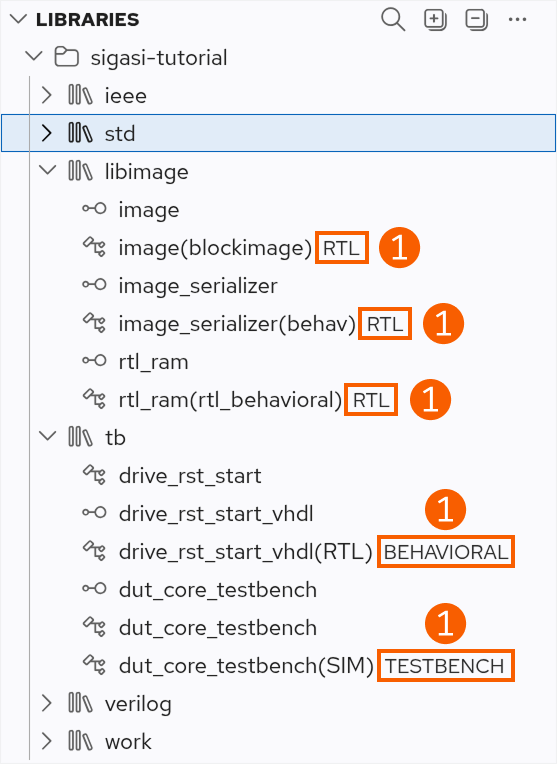
The Libraries View lists all existing projects and libraries. The children of the libraries are all the design units that were mapped to it. In VHDL, we also see the description style of the design units (➊). You can use it to navigate to a particular design unit in your project. When you click on a file, it will open in the editor.
If you want the selection in the Libraries View to follow your position in the editor, ensure that you enable Follow Cursor in the More Actions menu. Alternatively, you can explicitly right-click the design unit in the editor and select to navigate to the corresponding element in the Libraries View.
Finally, you can also set the top level of the design by right-clicking any design unit in the Libraries View and selecting Set as Top Level.
Buttons in the Libraries View
These buttons are available in the Libraries View:
- Search in the Libraries View
- Expand the Libraries View
- Collapse the Libraries View
- More Actions
- Follow Cursor: Link the Libraries View with the editor