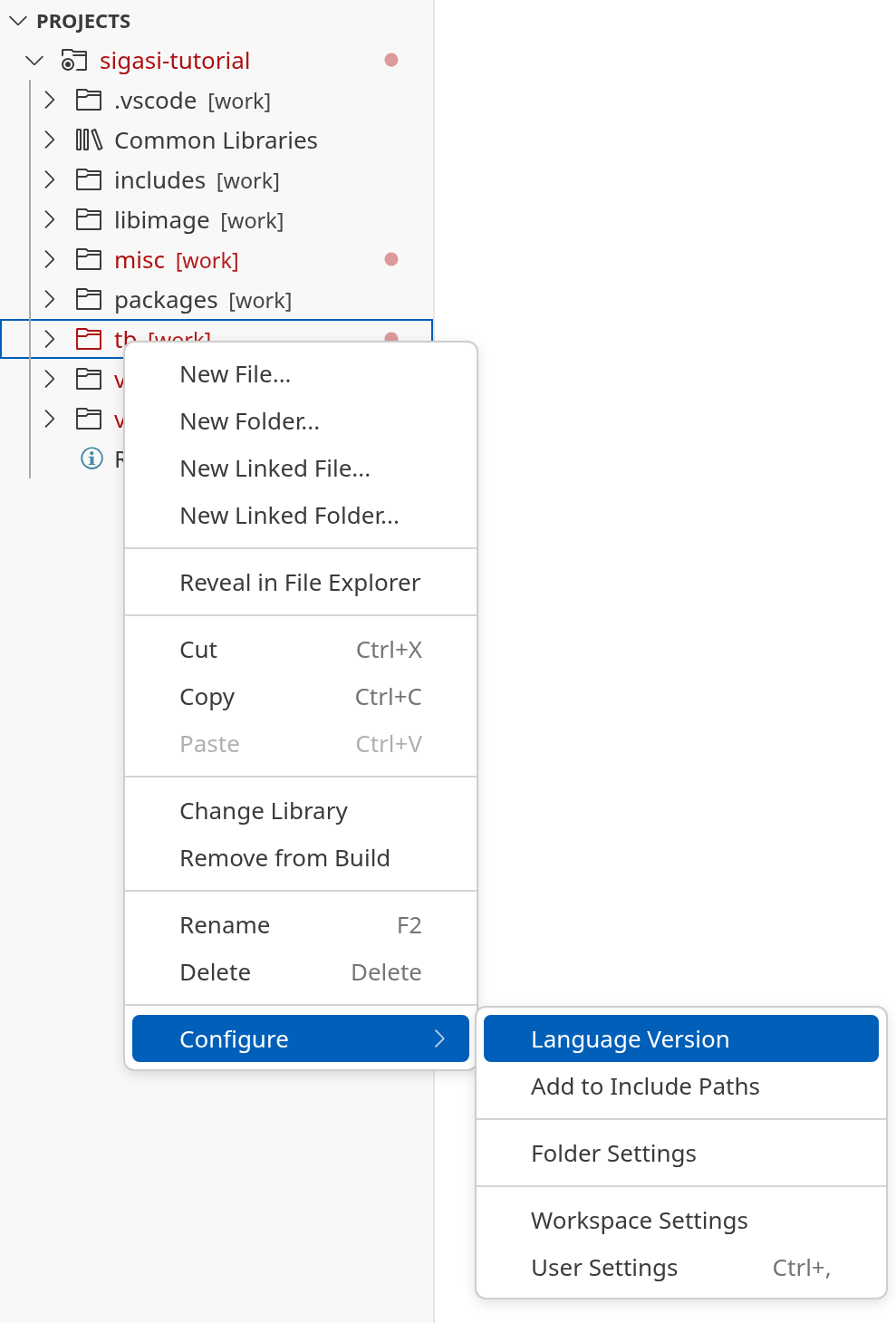
To change the VHDL or Verilog version, right-click on a project, folder, or file in the Sigasi Projects View and click . Then, select whether you want to set the VHDL or Verilog version. If you only see one of the two, you might need to add language support through Configure > Add [VHDL / Verilog/SystemVerilog] Support.
Note: the VHDL version of a folder or file must be greater or equal to the VHDL version of the project.
Note: Setting the Verilog version determines whether
*.vfiles are treated as Verilog (IEEE 1364-2005) or SystemVerilog (IEEE 1800-2017).*.svfiles are always treated as SystemVerilog.