While Sigasi attempts to resolve missing include paths automatically, we recommend explicitly configuring them to ensure the search order is accurate and predictable.
To configure include paths, open the Verilog Preprocessor page: right-click your project in the Sigasi Projects View and select > Verilog Preprocessor.
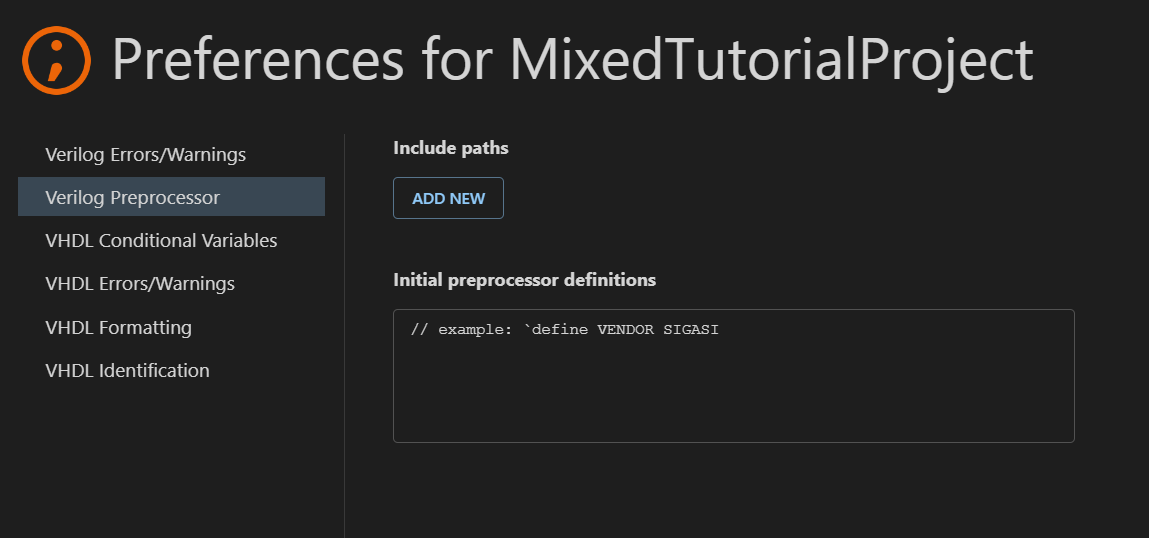
Initial preprocessor definitions
In the Initial preprocessor definitions field, you can define macros that Sigasi should process before analyzing any design files. This allows you to set global defines across the entire project without using explicit `include statements in every source file.
Environment variables in include directives
Sigasi supports environment variable expansion within `include directives. You can reference variables from your system environment using the $VARIABLE or ${VARIABLE} syntax:
`include "${SOME_DIR}/shared/constants.sv"
`include "$IP_CORE_DIR/components/header.sv"
SystemVerilog include files
Sigasi automatically excludes SystemVerilog include files from the build. Any file referenced by another file via an `include directive is marked as an include file and removed from the independent compilation list, even if it uses a standard design file extension like .v or .sv. Because include files are intended to be analyzed only within the context of their parent files, independent compilation is typically unnecessary and could lead to analysis errors.