Sigasi Visual HDL Professional Edition or Sigasi Visual HDL Enterprise Edition
[Only for SystemVerilog]
The UVM Diagram displays a graphical representation of a root UVM component structure through an intuitive graphical display. It visualizes the relationships between components, their hierarchical arrangement in the topology, the connections between ports, and the referenced design interfaces. The dynamic expansion of the diagram allows for efficient tracking of connections throughout the UVM component structure.
You can open the UVM Diagram by clicking the Sigasi logo  in the editor toolbar (top right) and selecting Open UVM Diagram. Alternatively, you can open the view using the command palette
and typing
in the editor toolbar (top right) and selecting Open UVM Diagram. Alternatively, you can open the view using the command palette
and typing Sigasi: Open UVM Diagram. To select a root UVM component, use the  button in the toolbar.
Similar to the UVM Topology View, this diagram offers a set of navigation options for each element (both by double-clicking on elements and through the context menu), allowing you to access an element’s types, declarations, or instantiations. Double-clicking on a port connection line navigates to the corresponding connected method call in the source code.
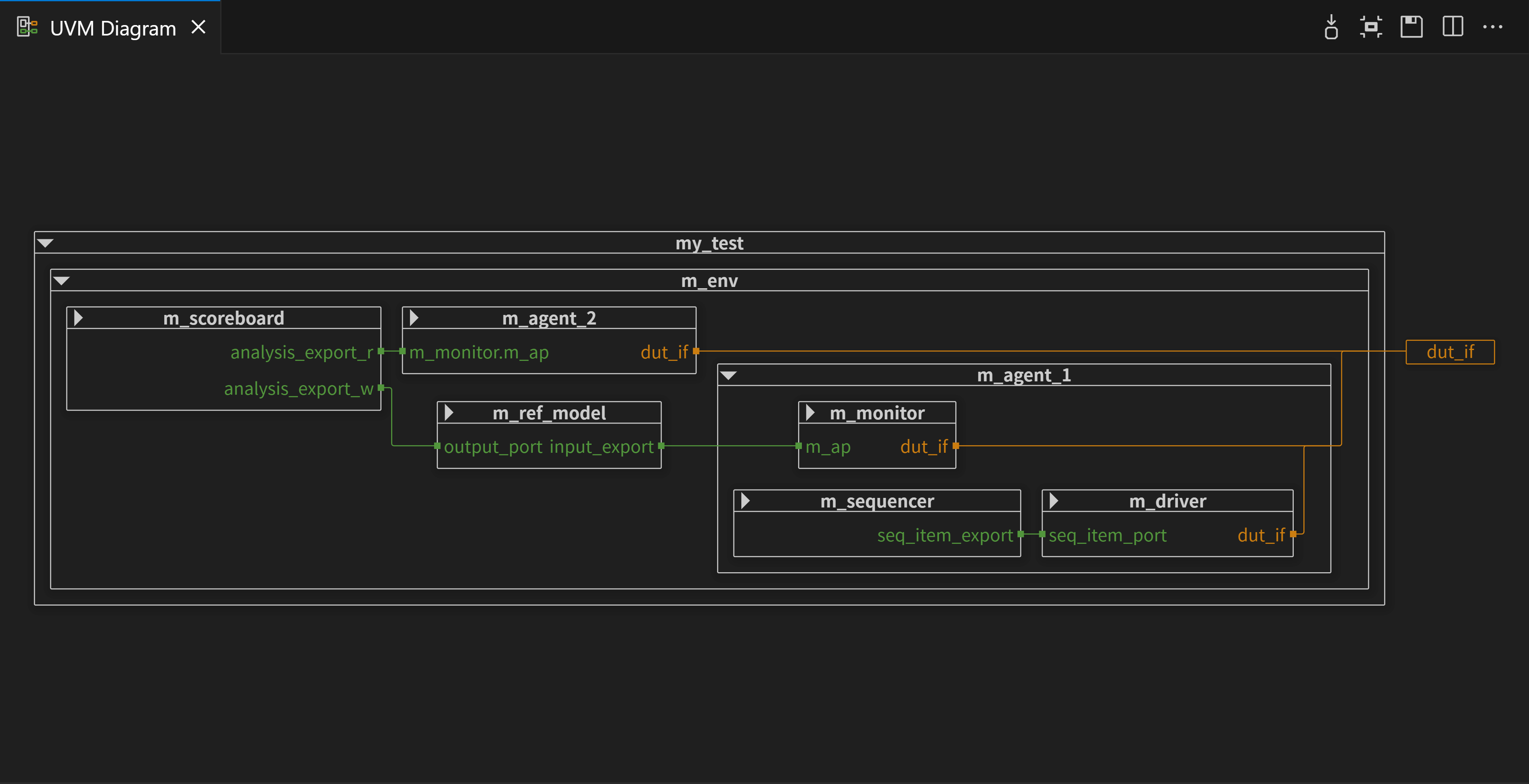
Like other diagram views, you can find buttons on the toolbar to Zoom to Fit and export the UVM Diagram as an SVG.