The Documentation View gives you a live preview of the automatic documentation Sigasi can generate for your project.
You can open the Documentation View by clicking the Sigasi logo  in the editor toolbar (top right) and selecting Open Documentation View. Alternatively, you can open the view using the command palette (
Ctrl+Shift+P
) and typing
in the editor toolbar (top right) and selecting Open Documentation View. Alternatively, you can open the view using the command palette (
Ctrl+Shift+P
) and typing Sigasi: Open Documentation View.
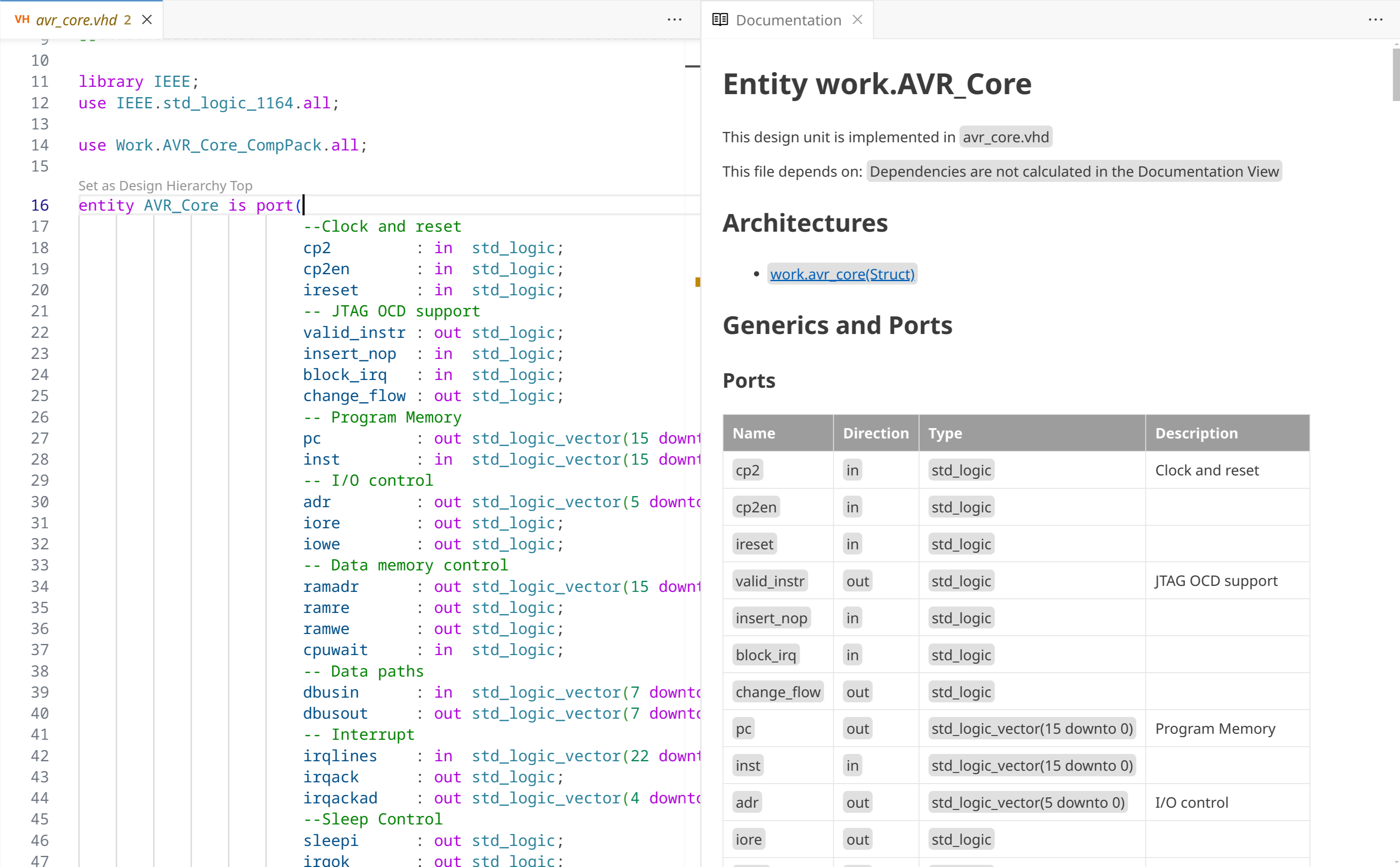
The preview updates automatically as you change the code.
Note that the preview is not rendered exactly the same as the generated documentation, but it allows you to preview content and style before running the full documentation generation. Block diagrams, state machines, state transition tables, and the dependency diagram are also not shown in the preview.
Buttons in the documentation view
- Opens the documentation generation wizard