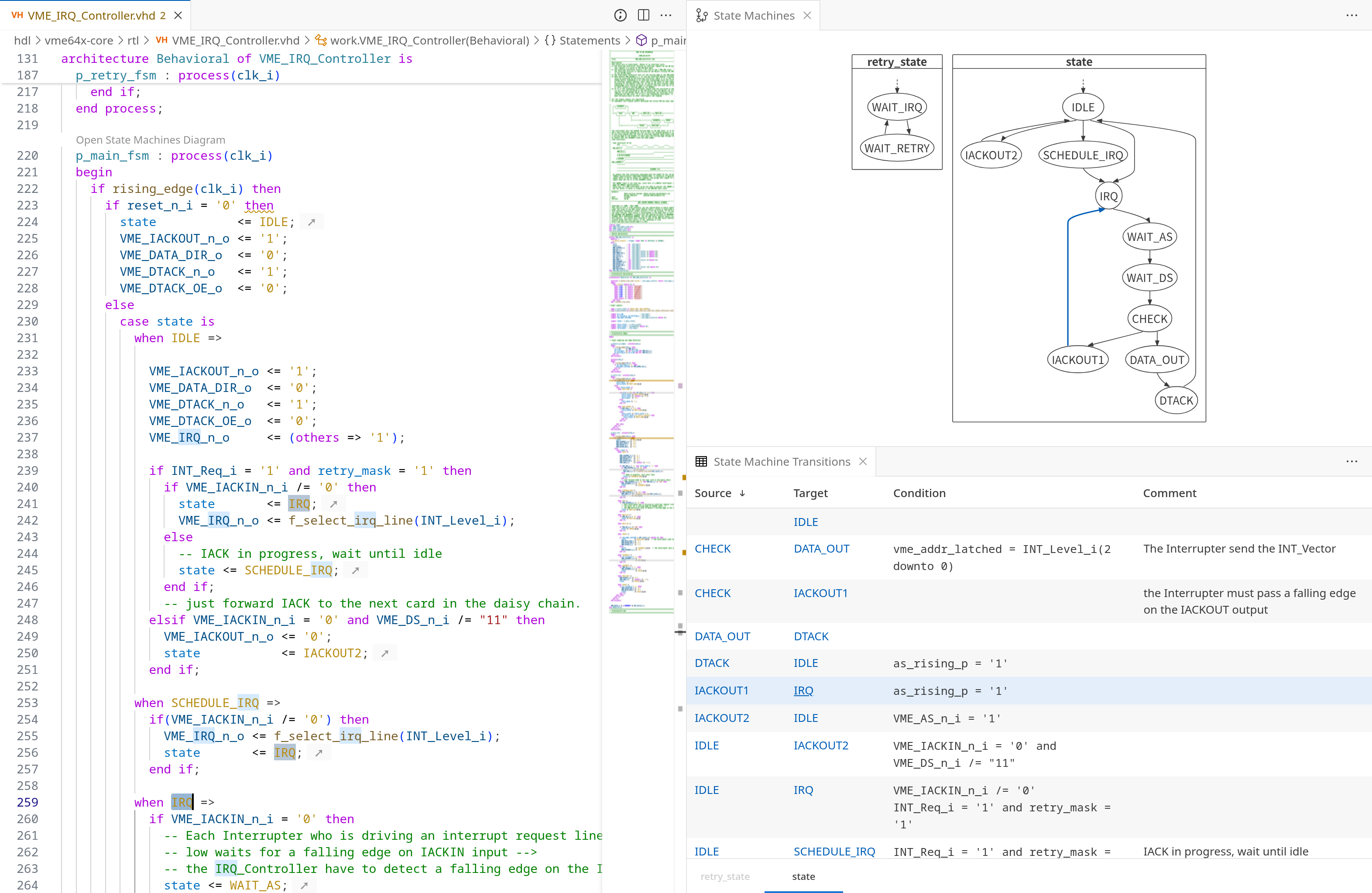
The State Machine Transitions view shows a table of all transitions in any state machine found in the active editor. If multiple state machines are present, each is listed on a separate tab below the table.
To open the view, you can either use the Open SVH view dropdown in the top-right corner of the editor, or use the Command Palette ( ) and type to select the Sigasi: Open State Machines Transitions command.
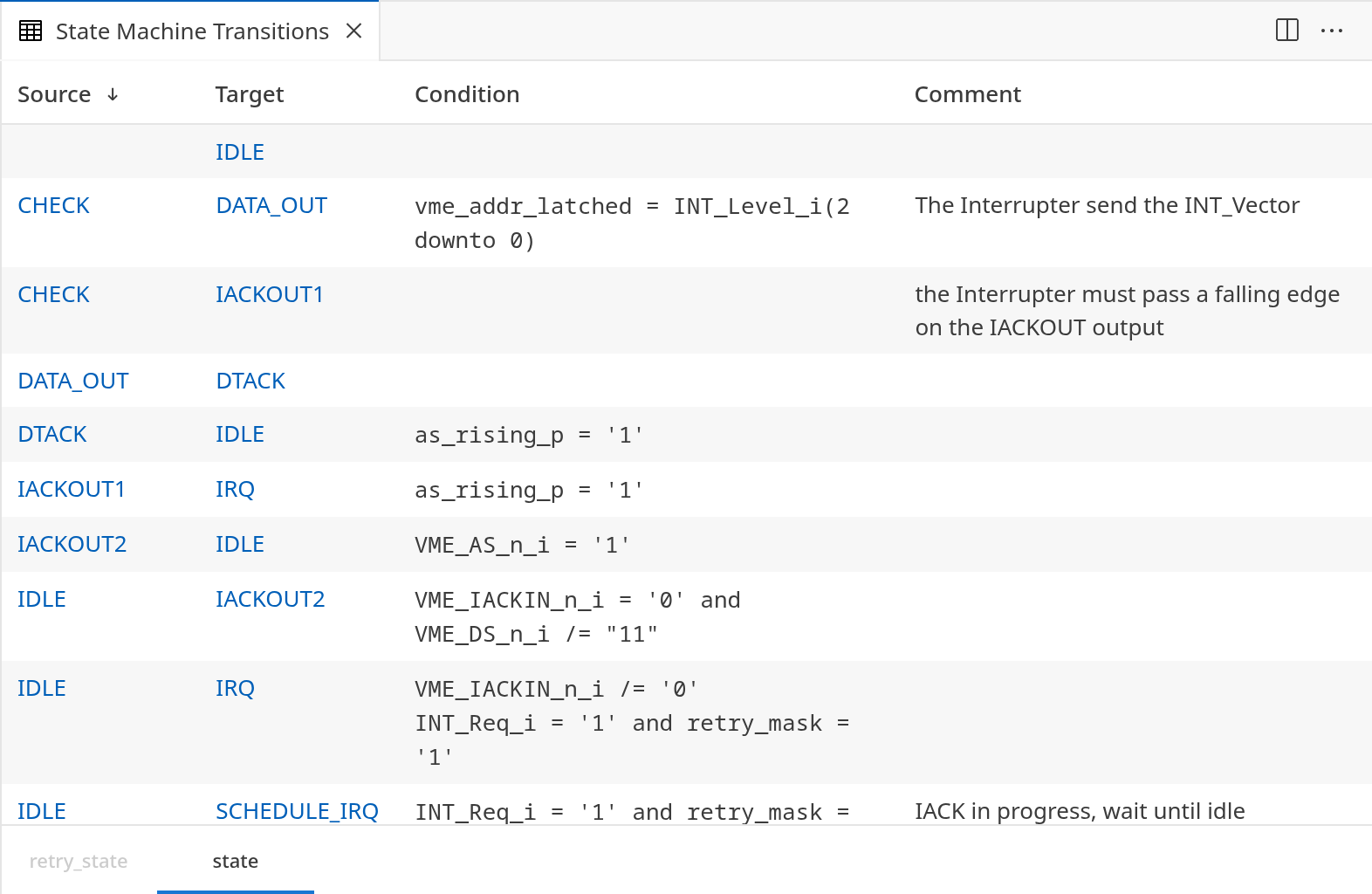
The table can be sorted by source state, target state, condition, and comment. Each source and target entry includes a link to the corresponding state definition in the diagram. Double-clicking a transition navigates directly to its definition in the editor.
When the State Machines view and the State Machine Transitions view are open at the same time, any transition selected in one view is also selected in the other. This makes it easy to keep track of the transition you are inspecting.