Sometimes we get the question: Why pay for Sigasi Visual HDL? Adding the claim: TerosHDL does “the same” for free
TL;DR
We wanted to factcheck that claim, did a full investigation and one of our hardware engineers made a comparison feature by feature on the differences between Sigasi Visual HDL and Teros HDL. This comparison was made based on publicly available documentation, Teros HDL version 7.0.3 (3/25/2025), our friends at ChatGPT, Gemini, Claude, Perplexity,… and user feedback. It becomes quickly clear that TerosHDL by Teros Technology does not match the capabilities and features of Sigasi Visual HDL and that the claim “it does the same” is false.
Intro: “Free” is not the same as “without costs”
First of all, “free” means that the license to use the software doesn’t come with an upfront license cost. Setting up an HDL development environment is, as we all know, expensive if you need time to figure it all out by yourself. Therefore, our excellent support team is glad to give professional users all the support they need included in the license fee to set-up a project hassle free. No more searching, asking, restarting, and… losing time and money. We guarantee a smooth start with Sigasi. That’s why we’ve integrated a tutorial in the VS Code Extension that is free to use for commercial and non-commercial (Community Edition) users and why we introduced a series of free webinars on topics like on-the-fly linting, interactive diagrams visualization, visual navigation, verification,.. explaining how to make best use of Sigasi.
If you are a commercial user and you want to try Sigasi before buying, you can request a trial and we will give you a full demo to assist you with setting up your project. Click here to get going with your demo and full featured trial license (node-locked or floating)
If you are a student or non-commercial user, you can immediately download Sigasi Visual HDL Community Edition for FREE. Make sure you have Visual Studio Code installed. Get VS Code here . Once you have VS Code installed, you can add the Sigasi extension Community Edition here for FREE and enable all features of Sigasi Visual HDL (except CLI).
Feature comparison
🧩 Integration
| TerosHDL | Sigasi Visual HDL | |
|---|---|---|
| VS Code IDE Extension | ||
| Advanced Scalable Set-up | ||
| Project Management Config Tools | ||
| Semantic, Hierarchy-aware Code Navigation | ||
| Professional Project Setup Support | ||
| Git Version Control |
🧠 Intelligent Code Assist
| TerosHDL | Sigasi Visual HDL | |
|---|---|---|
| Folding | ||
| Semantic Highlighting | ||
| (Quick) Outline | ||
| Structural Selection | ||
| Open Design Unit | ||
| Find References | ||
| Go to Implementation | ||
| (Ranged) Formatting/indenting | ||
| Elaboration Hierarchy View | ||
| Syntax Checking (*) | ||
| Real-time (Syntax) Error Checking | ||
| Smart Indentation | ||
| Full Autocomplete | ||
| Context-aware IntelliSense Autocomplete | ||
| Semantic Occurrence Highlighting | ||
| Progress Reporting | ||
| Memory Monitoring | ||
| Go to Definition/Declaration in VHDL | ||
| Go to Definition/Declaration in Verilog/SV | ||
| Configurable Formatting | ||
| Class Hierarchy | ||
| Elaboration Hierarchy View | ||
| Libraries View | ||
| Code Lenses | ||
| Hovers | ||
| Hover Actions |
(*) TerosHDL depends on seperate tools for syntax checking
✅ Compliance Assist
| TerosHDL | Sigasi Visual HDL | |
|---|---|---|
| Quick Fixes | ||
| Linting (*) | ||
| Real-time Linting | ||
| Cross-file Linting |
(*) TerosHDL depends on seperate tools for linting
✨ Design Assist
| TerosHDL | Sigasi Visual HDL | |
|---|---|---|
| Tools & Libraries | ||
| Signature Helper | ||
| Documentation (Pre)View | ||
| Semantic Errors | ||
| Rename Refactoring for VHDL | ||
| Rename Refactoring for Verilog/SV | ||
| Net Search | ||
| Template Autocomplete | ||
| Context-aware Template Autocomplete | ||
| Preprocessor Autocomplete | ||
| Preprocessor View | ||
| Preprocessor Hover |
🖼️ Graphic Assist & Visualization
| TerosHDL | Sigasi Visual HDL | |
|---|---|---|
| Dependencies Diagram | ||
| Block Diagram (*) | ||
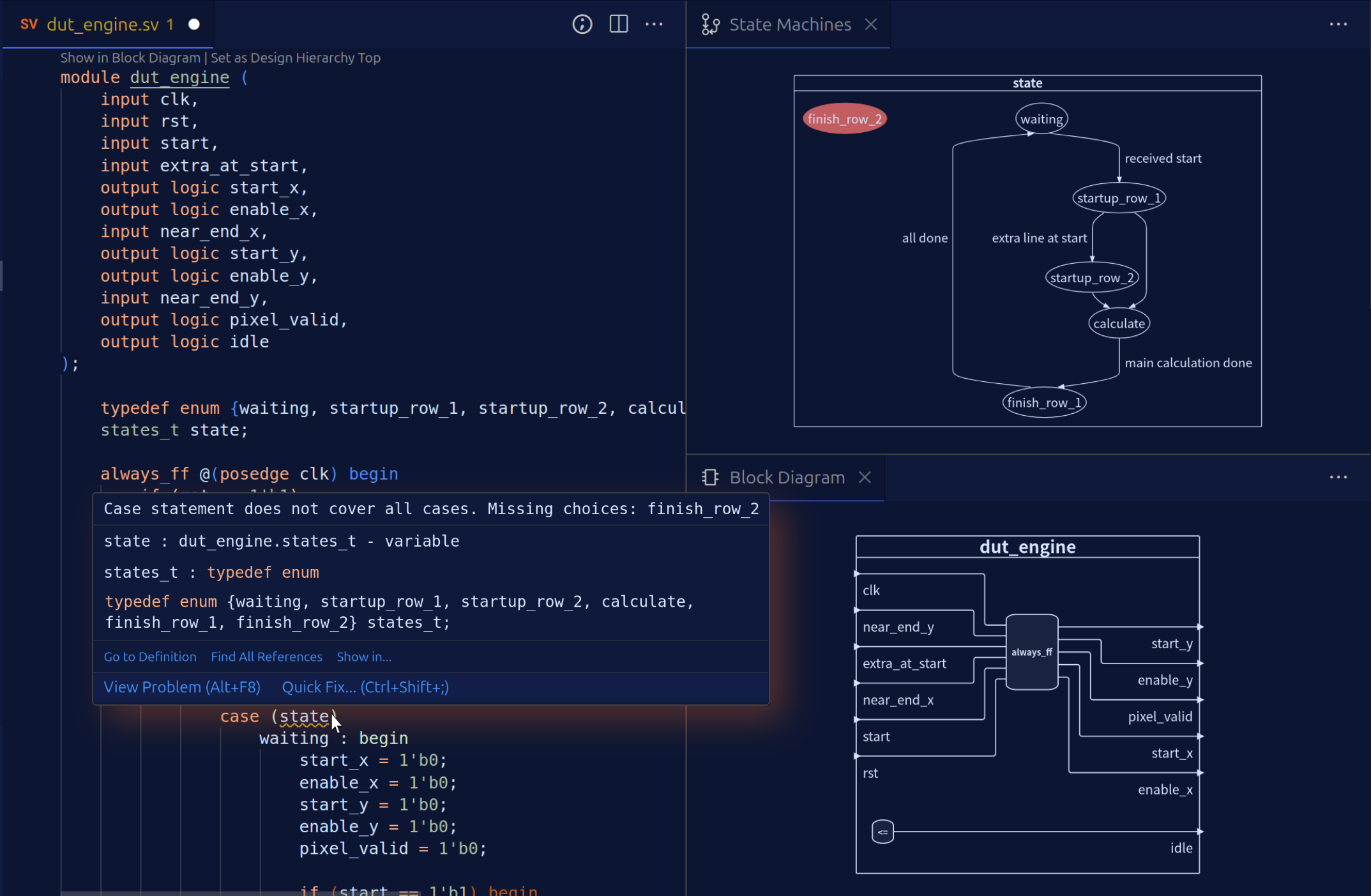
| Finite State Machines (FSM) Diagram | ||
| Real-time & Interactive FSM Diagram | ||
| Built-in Design Graphics Export | ||
| Design Hierarchy Export | ||
| Interactive Outline View |
(*) TerosHDL depends on seperate tools for Block Diagram View
🛠 Verification Assist
| TerosHDL | Sigasi Visual HDL | |
|---|---|---|
| UVM Linting | ||
| UVM Topology View | ||
| UVM Diagram |
📚 Doc Assist
(only in Sigasi Visual HDL Enterprise Edition)
| TerosHDL | Sigasi Visual HDL | |
|---|---|---|
| Single File Doc Generation | ||
| Full Project Documentation Generation |
💸 CLI Task Assist
(only in Sigasi Visual HDL Enterprise Edition)
| TerosHDL | Sigasi Visual HDL | |
|---|---|---|
| CLI Lint Reporting | ||
| CLI Documentation Generation | ||
| CLI Dependency Generation | ||
| CLI Diagram Generation | ||
| CLI Library Extraction | ||
| CLI VHDL Formatting |
📋 Support
| TerosHDL | Sigasi Visual HDL | |
|---|---|---|
| User Manual | ||
| Local Assistance in USA | ||
| Local Assistance in Germany & DACH | ||
| Local Assistance in UK, Ireland & Nordics | ||
| Local Assistance in India | ||
| Local Assistance in Türkiye | ||
| Local Assistance in Benelux & France | ||
| Professional Support |
🎯 Conclusion
Sigasi Visual HDL is a deterministic HDL engineering workspace built for professional FPGA and ASIC teams. It brings deep, real-time semantic understanding to VHDL, (System)Verilog, and mixed-language projects directly inside VS Code—so engineers can design, explore, and maintain RTL with immediate, project-aware feedback.
As you work, Sigasi continuously parses and analyzes the full project context—types, scopes, hierarchy, dependencies, and configurations. This semantic project model powers fast navigation, safe refactoring, guideline enforcement, and live design visualizations. The result is fewer avoidable issues reaching integration, simulation, or review—without disrupting your existing EDA toolchain.
Core diagnostics are deterministic and reproducible, ensuring feedback is consistent across engineers, teams, and CI environments.
Licensing & Deployment: Sigasi Visual HDL supports node-locked and floating licenses. It integrates cleanly into existing workflows, and professional project setup support is available when needed.
ROI is Measured, Not Assumed. Teams typically justify Sigasi by measuring:
- Fewer avoidable issues reaching simulation or CI
- Reduced review iteration cycles
- Faster navigation and safer refactoring in large codebases
- Improved mixed-language clarity across boundaries
A short pilot on an active repository makes the value tangible within weeks without relying on inflated “hours saved” claims. Start your pilot here
About Sigasi. Sigasi is a privately held company founded in 2008, focused on improving day-to-day workflows for chip design and verification engineers in FPGA, ASIC, SoC and IP design. On average four major releases are made per year by an international development team. Bugs and issues are fixed after reporting.
TerosHDL is a lightweight, underpowered open-source IDE, only for FPGA students, hobbyists, and independent designers with limited or no resources. It lacks semantic understanding and deeper design insights. It is made by “Teros Technology” 100% funded through the European Commission’s Next Generation Internet programme, under grant agreement No 957073. On average, one major release was done per year. Last update was in March 2025. There is no information about a planned future release. Over 210 bugs and issues are currently unsolved, some for more than a year.
Sigasi Community Edition (CE) is the free version of Visual HDL for students, academics and non-commercial users so they can learn and experience the advantages of Sigasi when designing a chip. The only difference between CE and the Professional Edition is that Talkback must be enabled in CE, no project data is included in Talkback. As a student or non-commercial user, don’t hesitate to use Sigasi Visual HDL Community Edition free of charge. Get real-time semantic feedback as you type; not just syntax highlighting. Explore hierarchies, navigate instantly, and visualize state machines and block diagrams. Work confidently in mixed-language projects (VHDL + SystemVerilog) just like in industry.
Start to learn chip design like a pro
CE gives you professional-grade VHDL and SystemVerilog support directly inside VS Code. Start building skills that transfer straight into your future job.