Sigasi Visual HDL™ (SVH™) 2026.3 adds Verible formatting for Verilog and SystemVerilog, along with several refinements and bug fixes.
Release process
“A new release, already?” I hear you say. Indeed, starting with the 2026.3 release, releases will be more frequent.
Whenever a new significant feature is ready, we will make it available to you as a release with an incremented minor version (2026.X), together with any bug fixes and improvements that we have finished at that point. Point releases (2026.3.X) will continue to exist and will still be released periodically. They contain bug fixes, performance and security improvements, as well as small features such as those listed in the Further new and noteworthy section for this release.
In short:
- Features are made available to you as soon as possible
- The latest release remains the flagship release and is recommended for all customers
- Point releases might now also contain small features besides the usual bug fixes
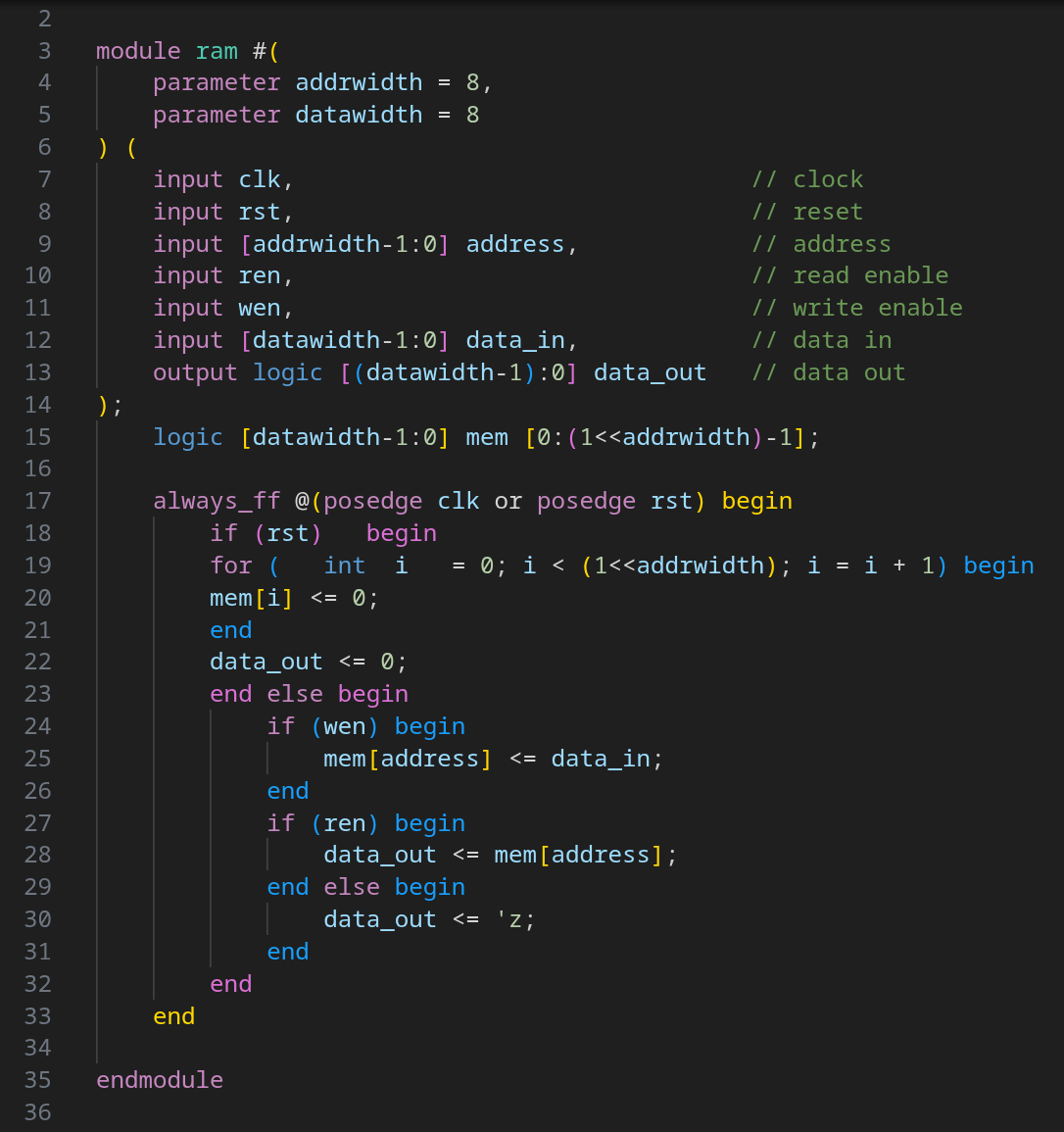
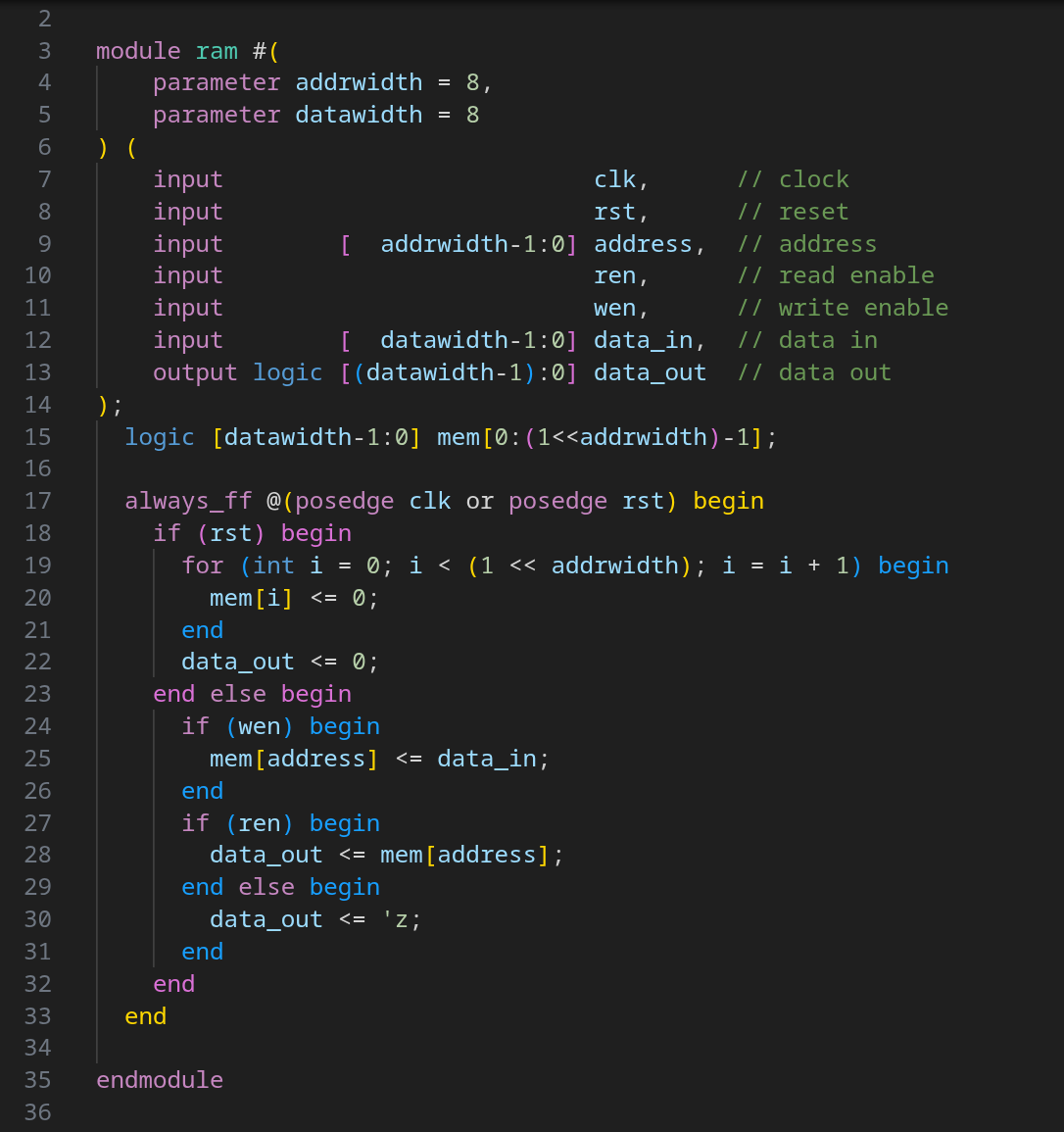
Verible formatting
You can now select and configure Verible to format Verilog and SystemVerilog files. You can freely configure Verible in Sigasi as you are used to with Verible. Furthermore, you can point Sigasi to a locally installed Verible instead of using the pre-built version (v0.0-3820-g3415c94d at the time of writing).
Verible offers more complete formatting and more configuration but does not support all SystemVerilog language features and can fail to format some files.
Further new and noteworthy
- Added a search button to the settings webviews
- Added the
sigasi.projectsView.showOnStartup - Added a highlight for the selected item in the Tools & Libraries page
Bug fixes
- Fixed absolute paths appearing in the compilation order on Windows
- Fixed missing colors and highlighting when verifying with the Sigasi CLI
- Fixed empty Libraries View and Outline after reloading the window
- Verilog Fixed false positive errors on duplicate declarations of anonymous UDP instantiations, e.g.,
my_mux (s0, a, b); my_mux (s1, c, d); - Verilog Fixed false positive errors on
voidmembers of packed tagged unions - Verilog Fixed false positive errors of extern method prototypes with unnamed formals
- Verilog Fixed false positive error when assigning
nullto a covergroup handle - Verilog Fixed false positive error on associative-array arguments for
$readmemhand$writememh - Verilog Fixed false positive error on macros that construct
`includestatements - Verilog Fixed false positive error on associative-array wildcard indices with whitespace, e.g.,
[* ],[ * ] - Verilog Fixed false positive error on
randomize(null) - Verilog Fixed false positive error on stringification macros with multi-line macro input, e.g.,
`"...`" - Verilog Fixed incorrect
inoutdefault for explicit port-expression ports without a directionSYSTEMVERILOGmodule p (.a({b,c})); // Port 'a' is input input b,c; endmodule - Verilog Allow virtual-interface handles as boolean or conditional operandSYSTEMVERILOG
interface Foo; logic i; endinterface module m; virtual Foo a = null; initial begin if (a) begin // implicit null check end end endmodule - Verilog Fixed false positive error on upward hierarchical name references from within interfacesSYSTEMVERILOG
interface control_if; logic clk; endinterface interface dsp_con_driver_bfm (input logic clk, output logic go_0); task drive; @(posedge CONTROL.clk); // Now correctly resolves go_0 <= 0; endtask endinterface module top; control_if CONTROL(); logic g0; dsp_con_driver_bfm bfm(.clk(CONTROL.clk), .go_0(g0)); endmodule - Verilog Fixed false positive error on
##cycle delay immediately following a clocking event in a sequence or propertySYSTEMVERILOGsequence s; @(posedge c0) ##1 a; endsequence
Update or install
If you have downloaded SVH from the VS Code Marketplace , your installation will automatically update.
You can also download the latest .vsix file and manually install it in VS Code.
- Linux: https://download.sigasi.com/vs-code/updates/latest/sigasi-visual-hdl-linux.vsix
- Windows: https://download.sigasi.com/vs-code/updates/latest/sigasi-visual-hdl-windows.vsix
The SHA sum is downloadable from https://download.sigasi.com/vs-code/updates/latest/vs-code-sha1.txt .
System requirements
Sigasi Visual HDL requires:
- Windows 10 or Windows 11 64-bit
- 64-bit Red Hat Enterprise Linux RHEL 8 or higher
- VS Code >= 1.82 and < 2.0
We recommend having at least 8 GB of memory and about 1 GB of free disk space available for Sigasi Visual HDL.
Feedback
Our Support Team happily welcomes any of your feedback.