Sigasi Visual HDL™ (SVH™) 2026.4 adds the ability to configure Analysis Effort to greatly speed up handling of IP and libraries for Modular projects and brings Documentation Generation to Professional and Settings Sharing to Designer, along with several refinements and bug fixes.
Analysis effort
By default, Sigasi analyzes all mapped files and folders in depth: indexing, linking, linting, etc. This explains why it’s so important to craft a clean library mapping for your project: unmapped files are not analyzed, keeping Sigasi snappy.
However, what about IP and libraries? Those need to be library mapped for Sigasi to understand references from and to them, but is there any reason for Sigasi to lint the UVM library you’re using or the USB IP you bought? Indeed, there isn’t; doing so is a waste of resources.
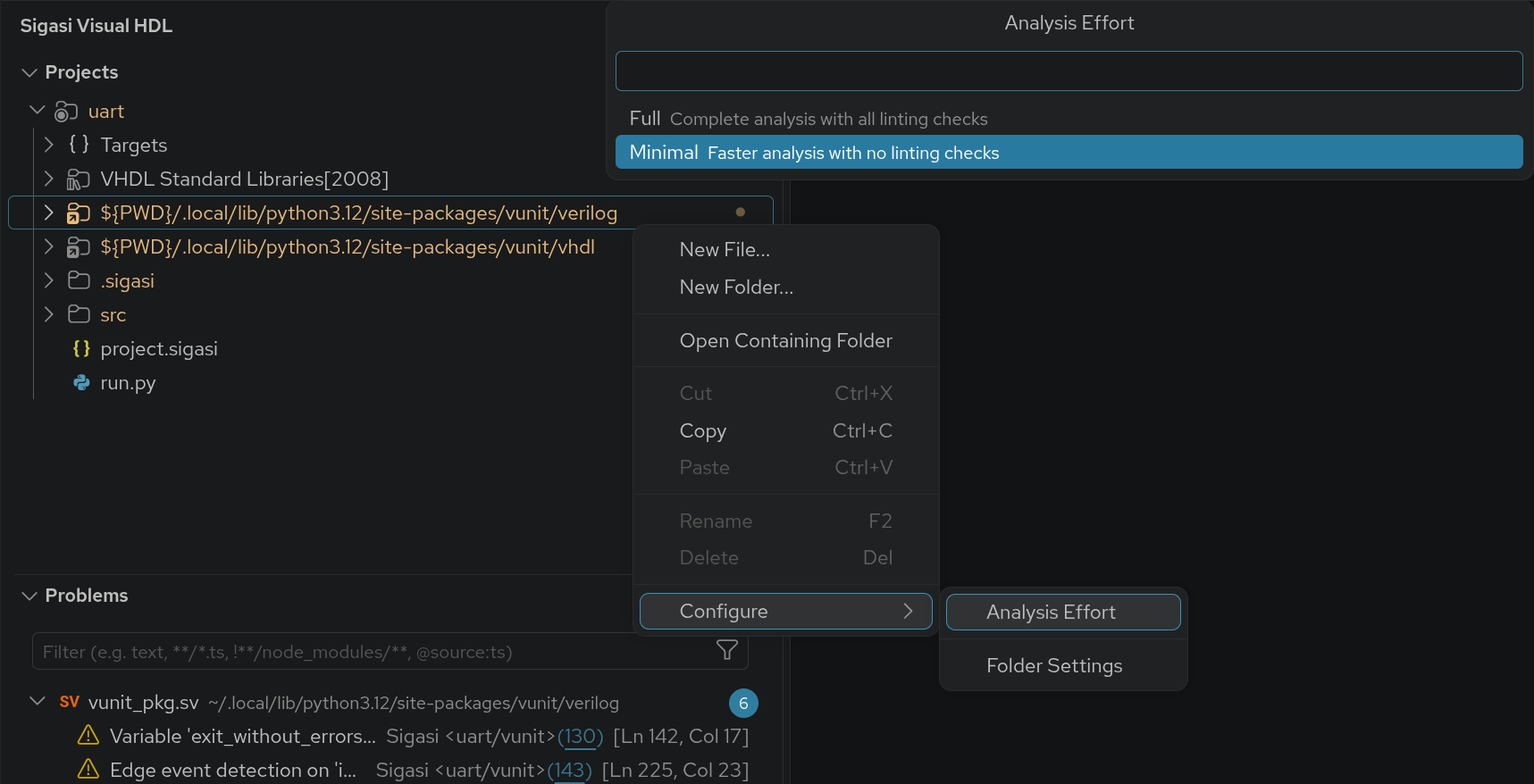
Sigasi 2026.4 brings a user-configurable index-only mode in which Sigasi does the minimal amount of processing required on the selected files. All references to the IP and libraries will still be there, but Sigasi will be faster and use less memory, and no problems will be reported on those files.
Have you been using the
ignore-allinclude in Sigasi’ssettings.jsonto suppress linting in libraries and IP? ProbablyMinimal Analysis Effortis what you were looking for instead.
To try it out, right-click a folder containing IP or a library and select .
Learn more
License changes
Two changes to licensing make features more broadly available:
- Settings Sharing becomes available to all commercial Sigasi users, no matter whether they use a Designer, Professional, or Enterprise license. This allows tight teamwork and unlocks the use of industry-standard functional safety standard rulesets that automatically remain up-to-date
- Documentation Generation becomes available to all wielding a Professional or Enterprise license
Quality of life
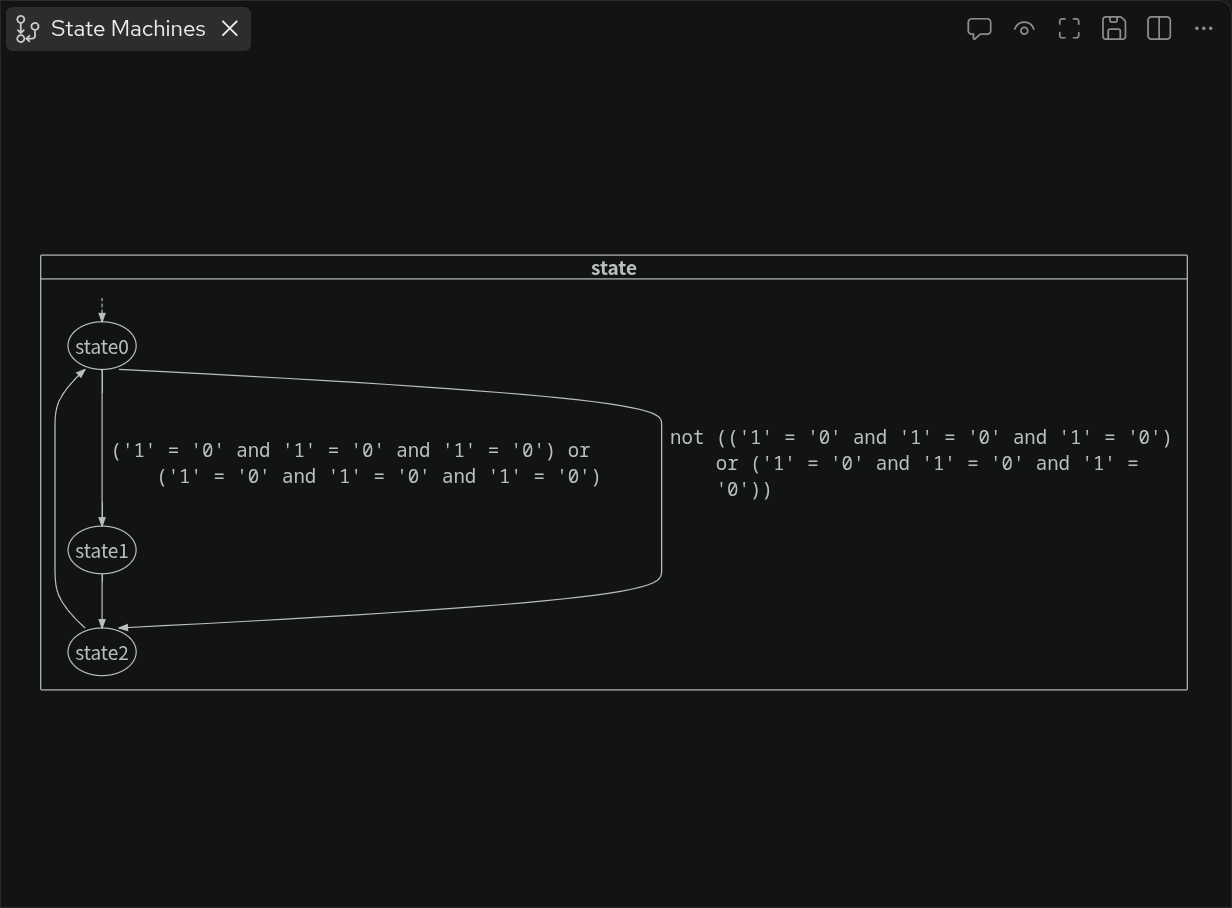
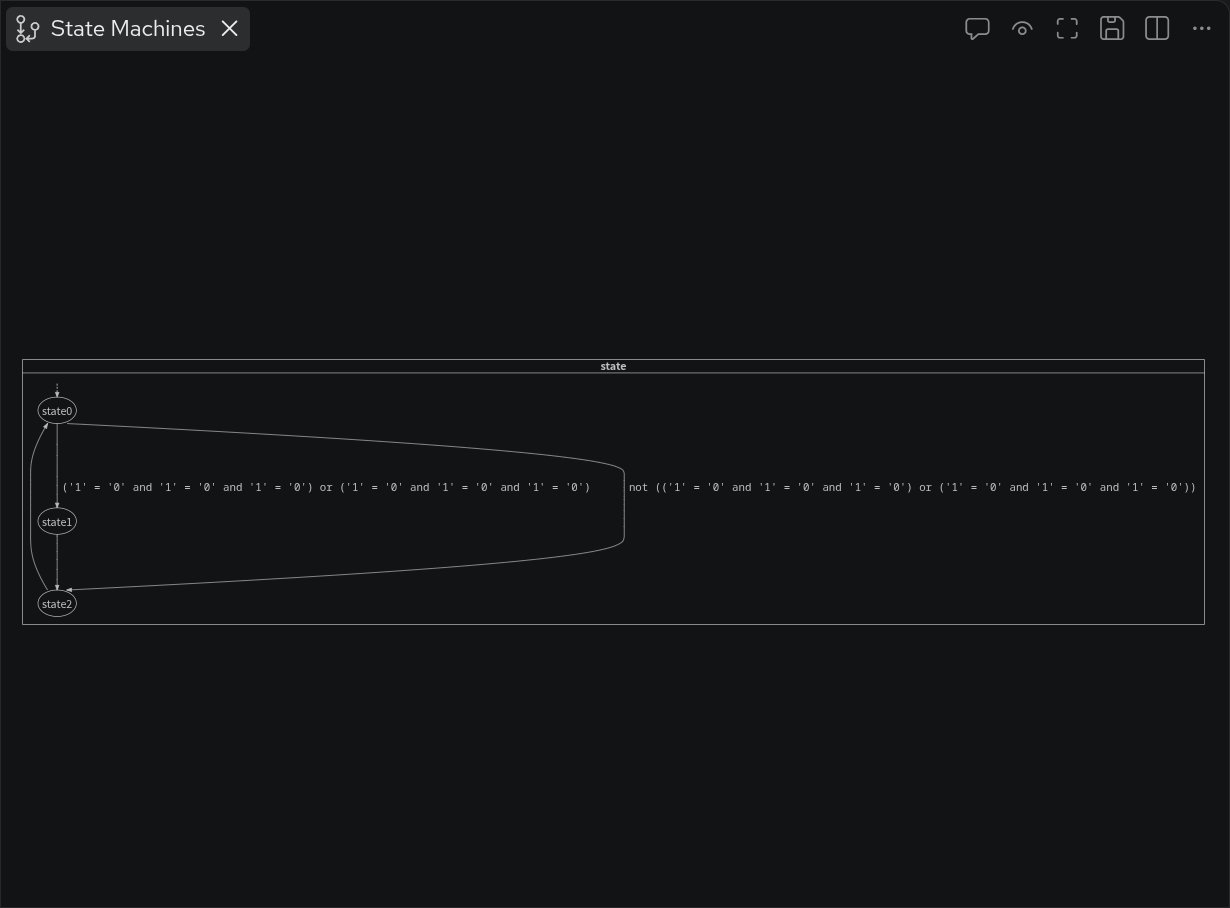
- Added word wrapping for long conditions in the State Machines Diagram
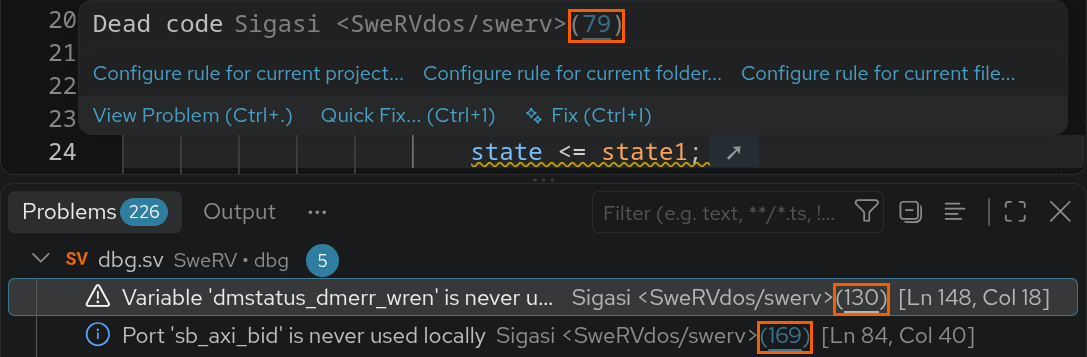
Added links to the linting rule documentation in the problems view and hovers
Added a settings button on projects () and targets () in the Projects View
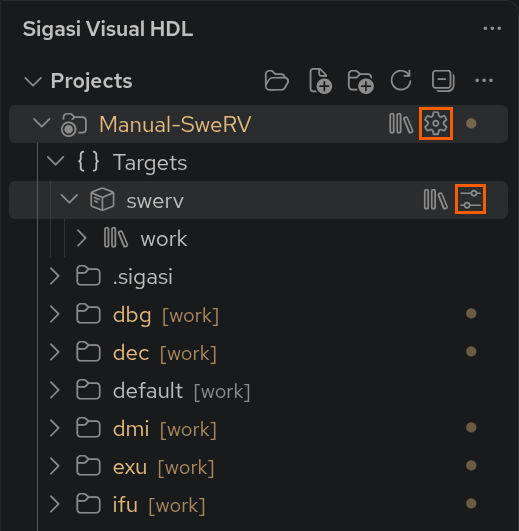
Further new and noteworthy
- Use VS Code’s internal browser to open Sigasi links (requires VS Code v1.109+)
- Added project rename in the project’s context menu
- Added a technical troubleshooting toolsuite to be used when advised by our Support team
- Simplified the visualization of the
Dependenciesnode in the Projects View - Added hover actions to configure linting rules when hovering over problems
- Added an expand () button in the Templates Editor’s code editor to edit in full screen
- Added missing
orandandbetween nested conditions in the State Machines Transitions table - Allow whitespace and quotes surrounding the
sigasi.pathToLicensesetting - Removed prompt to save workspace on close when it only contains tutorial and demo projects
- Improved handling of unicode characters in paths passed to Sigasi’s MCP server
- Improved responsiveness following Documentation Generation
- Improved responsiveness following successive editor edits
- Added an error when including folders instead of files in Setting Sharing
- Added an
Open Filebutton when the Compilation Recipe finishes - Added granular progress monitor for the Compilation Order and Compilation Recipe export
- Added a README to the
.sigasi/generatedfolder for non-git projects - Added support for glob patterns in xrun file selection
- Added
-dms_real_net_initsupport to xrun file selection for scripted targets - Renamed
Sigasi analysis is not enabled in this filetoFile must be mapped to a library for Sigasi analysis - Added automatic refresh to open settings pages when the underlying settings change
- Moved the search button in the settings and Templates Editor to the top right
- Added signature documentation and parameter default values to the Signature Helper
- Verilog Added Signature Helper support for parameterized classes
- Verilog Added non-standard
type_option.real_intervalto covergroups - Verilog Added non-standard scientific notation support to time literals, e.g.,
time t = 100e-3s - VHDL Added pattern validation to the naming convention patterns on the VHDL Identification settings page
Bug fixes
- Fail CLI documentation export for non-existent targets
- Fixed missing execution permissions upon initial extraction of the CLI
- Fixed version number reported by
--versionin the CLI - Fixed rare duplicate daemons in the CLI
- Fixed column order in exported documentation
- Fixed spurious missing problems when opening library files
- Fixed adding nested projects as dependencies
- Fixed missing transitions tables when there are multiple state machines in one process
- Fixed
Automate Designflowmenu for projects containing unicode characters - Replaced the
Configure Library for this file/folder/projecthints in quick fixes, autocomplete, etc. by hints to open the project file for files in scripted targets - VHDL Fixed recognition of state machines defined in for-generate loops
- VHDL Fixed missing build following a library mapping change for files with
librarystatements withoutusestatements
Talkback
To allow us to analyze what features you use and in which way, we added Talkback reporting for
- Opening of settings pages
- Diagram SVG export
- Session end
Talkback lets us find and fix bugs, steers our technical direction, and assists in feature prioritization. Talkback is only sent when the sigasi.enableTalkback
setting is enabled.
Updates
- Updated Verible to v0.0-4053-g89d4d98a from v0.0-3820-g3415c94d
Update or install
If you have downloaded SVH from the VS Code Marketplace , your installation will automatically update.
You can also download the latest .vsix file and manually install it in VS Code.
- Linux: https://download.sigasi.com/vs-code/updates/latest/sigasi-visual-hdl-linux.vsix
- Windows: https://download.sigasi.com/vs-code/updates/latest/sigasi-visual-hdl-windows.vsix
The SHA sum is downloadable from https://download.sigasi.com/vs-code/updates/latest/vs-code-sha1.txt .
System requirements
Sigasi Visual HDL requires:
- Windows 10 or Windows 11 64-bit
- 64-bit Red Hat Enterprise Linux RHEL 8 or higher
- VS Code >= 1.82 and < 2.0
We recommend having at least 8 GB of memory and about 1 GB of free disk space available for Sigasi Visual HDL.
Feedback
Our Support Team happily welcomes any of your feedback.